Acronis Backup & Recovery Advanced Server Plesk Edition
Overview
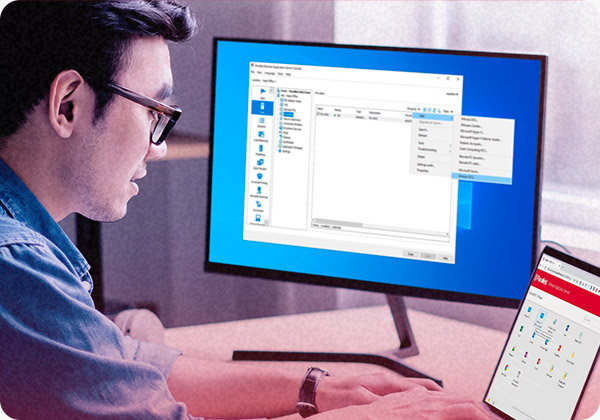
Acronis is a world leader in advanced storage and server management software. Parallels and Acronis are pleased to announce Acronis Backup & Recovery Advanced Server Plesk Edition fully optimized and tailored to work with your Parallels Plesk Panel. Acronis Backup &Recovery Advanced Server Plesk Edition is an integrated software package that can backup the operating system, applications, system settings and all of your data. In the event of a hard drive failure, you can use Acronis Backup & Recovery Advanced Server Plesk Edition backups to restore your complete system or recover individual data files and folders.
Installation Notes
The installation procedure is straightforward. Run the downloaded executable file and follow instructions.
Acronis Backup & Recovery Advanced Server Plesk Edition uses TCP port 9876 for local installation and for communication between components. The setup program automatically opens this port through Windows Firewall. If you use a different firewall, make sure that the port is open for both incoming and outgoing requests through that firewall.
No license is required for successful installation of Acronis Backup & Recovery Advanced Server Plesk Edition. However, core product component do require a license for per functioning. So, you will need to purchase and install a per-machine license if no valid license is currently present on the machine. For details, please refer to the "Licensing" section of the installation help file.
System requirements
Supported operating systems
- Windows 2000 Server
- Windows 2003 Server R2 - all editions
- Windows 2008 R2 - all editions
- Linux OSes (Linux with kernel 2.4.18 or later (including 2.6.x kernels) and glibc 2.3.2)
Software requirements
This section lists software required to install and run core Acronis Backup & Recovery Advanced Server Plesk Edition components, such as Agent for Windows, Agent for Linux and Bootable Media Builder, on a machine.
- Parallels Plesk Panel
Hardware requirements
This section lists the minimum hardware requirements to install and run Acronis Backup & Recovery Advanced Server Plesk Edition components on a machine.
| Item | Minimum requirements |
|---|---|
| Computer processor | Modern processor, 800 MHz or faster Itanium platforms are not supported |
| System memory | 256 MB |
| Screen resolution | 800*600 pixels |
| Installation disk space | 100 MB |
| Other hardware | Mouse |
New Features
Based on Acronis’ patented disk imaging and bare metal restore technologies, Acronis® Backup & Recovery Advanced Server Plesk Edition is the next generation disaster recovery product family succeeding the Acronis® True Image product line. It is designed to back up and protect your computers using an enhanced Acronis Backup & Recovery engine, which now is greatly dependable and up-to- date.
Enhanced archive validation confirms that your backups are complete and your server and data will be recoverable.
The Acronis interface is intuitive, making Acronis Backup & Recovery Advanced Server Plesk Edition easy to install, quick to configure and deploy, and simple to use.
Acronis Backup & Recovery Advanced Server Plesk Edition is a comprehensive, yet simple-to-use product can help you minimize downtime of your workstation or server.
An easy-to-use Acronis Backup & Recovery Advanced Server Plesk Edition interface allows users to recover very quickly using an easy-to-follow recovery path.