






Bonus with Subscription!
Parallels Toolbox
More than 40 one-touch productivity tools—clean your drive, take screenshots, download a video, and more—all with one click.
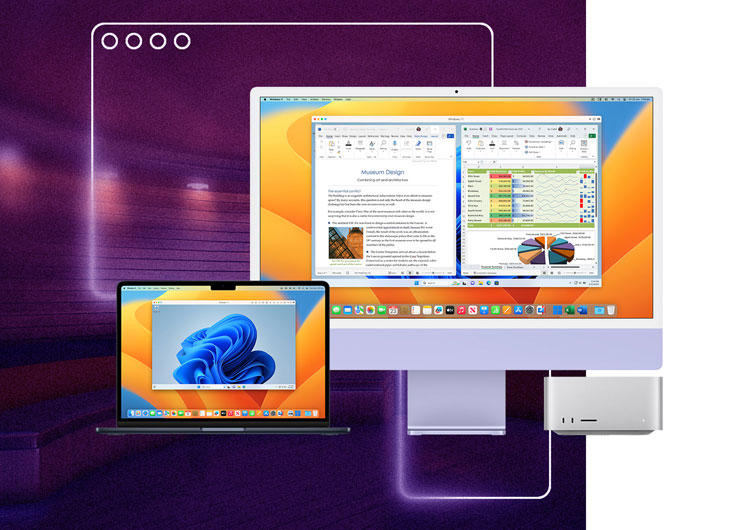
Experience Windows as if it was designed for Mac: use Mac files, keyboard, trackpad, camera & mic, sound, graphics, Touch ID, and many more. If you have an Apple M-series chip, Boot Camp will not work as it requires a Mac with an Intel processor. To install Windows 11 on your M-series Mac, you can use Parallels Desktop for Mac.
| What’s the difference between Parallels Desktop and Boot Camp? | Boot Camp | Parallels Desktop |
|---|---|---|
| Install Microsoft Windows on your Mac | Only Intel Mac (Mac models before 2021) |
|
| Install Microsoft Windows 11 on your Mac | ||
| Download and install Windows in one click | ||
| Run Windows without rebooting your Mac | ||
| Run Windows on your Apple M-series Mac | ||
| Run Windows applications side-by-side with Mac applications | ||
| Easily share files, devices, and other resources between Windows and Mac | ||
| Copy and paste images and text and drag and drop files between Mac and Windows applications | ||
| Swipe between OSes |
| Boot Camp | |
|---|---|
| Install Microsoft Windows on your Mac | |
| Install Microsoft Windows 11 on your Mac | |
| Download and install Windows in one click | |
| Run Windows without rebooting your Mac | |
| Run Windows on your Apple M-series Mac | |
| Run Windows applications side-by-side with Mac applications | |
| Easily share files, devices, and other resources between Windows and Mac | |
| Copy and paste images and text and drag and drop files between Mac and Windows applications | |
| Swipe between OSes | |
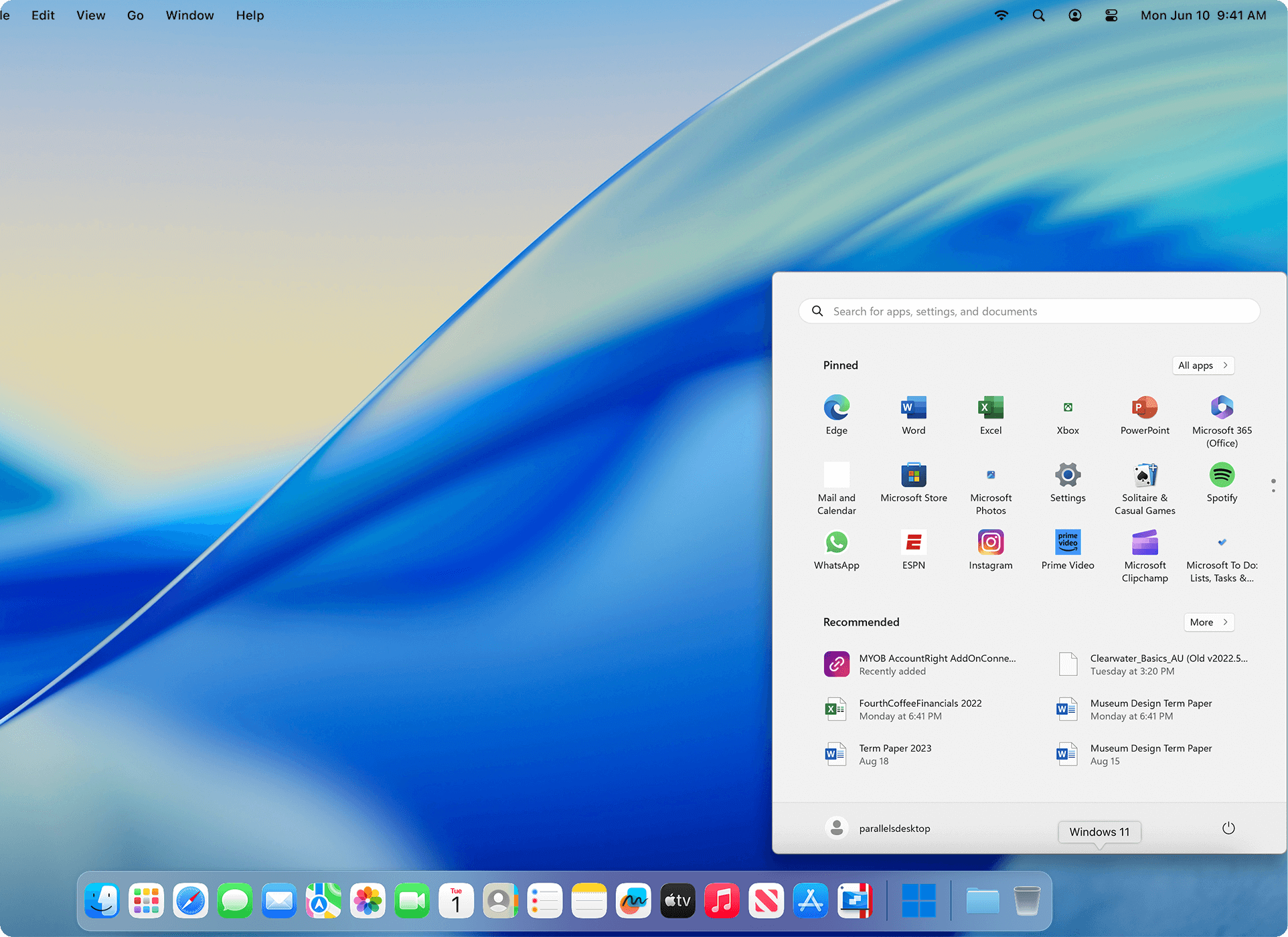
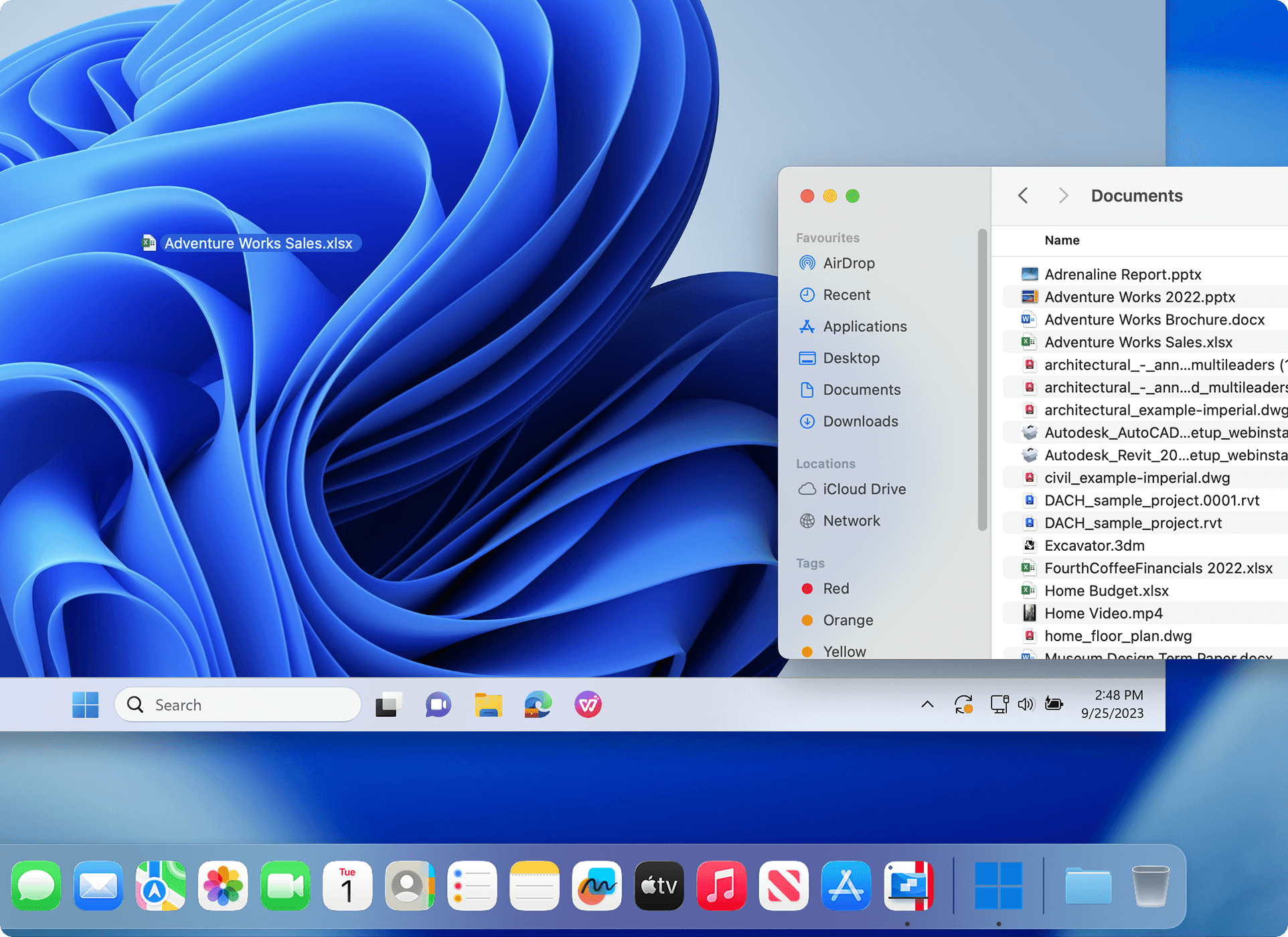
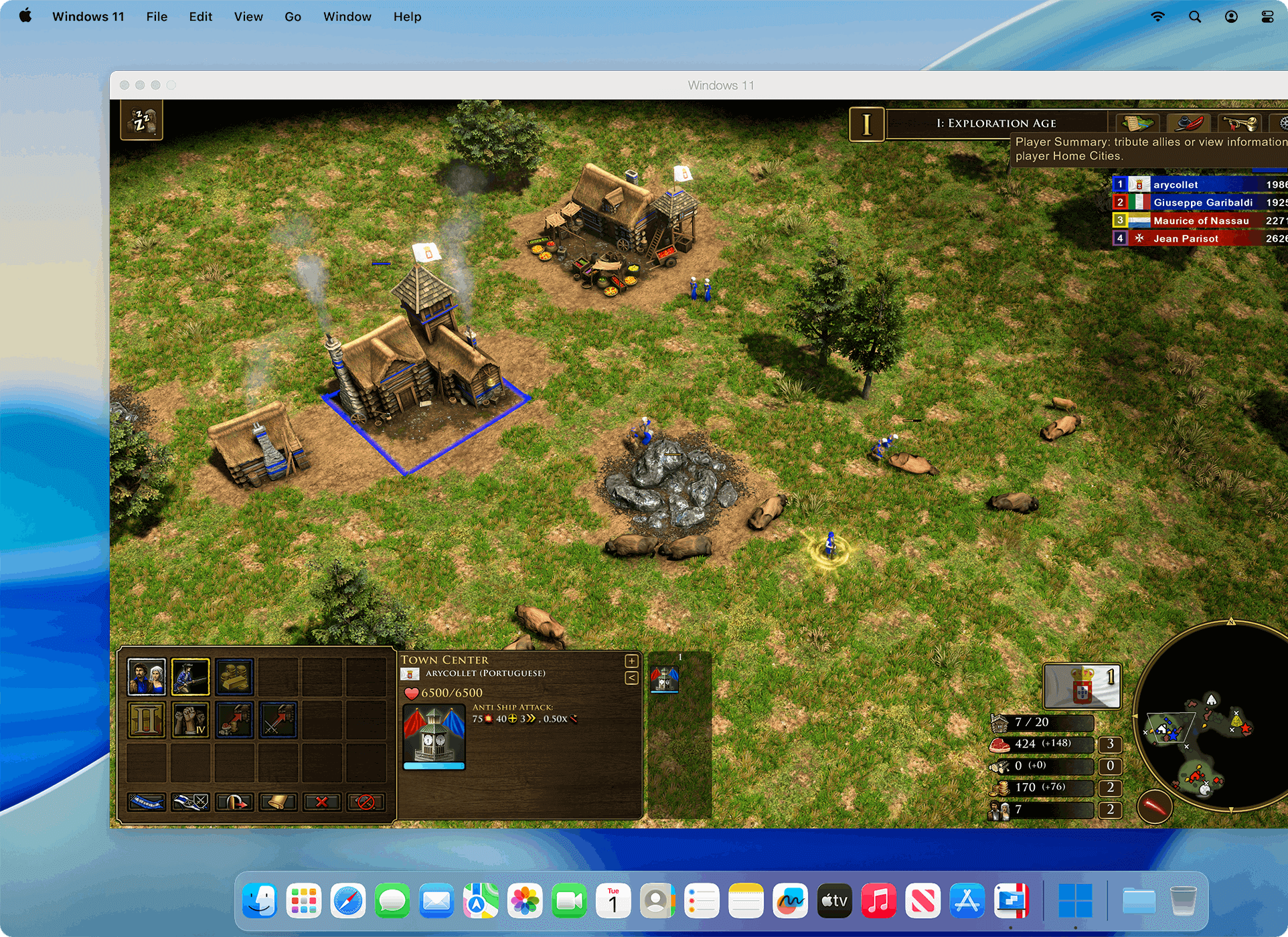
Play many classic Windows-exclusive games on your Mac, including Roblox, League of Legends, Minecraft, Half-Life 2, Age of Empires series, Fortnite, Fall Guys, Rocket League and many more.[1]
[1] – supports up to DirectX 11.
Experience hundreds of Windows-only games on a Mac with the same optimal performance as you would on a PC.


Continue using your trusted Windows applications, including perpetual versions of existing software or entertainment and hobby-related apps.
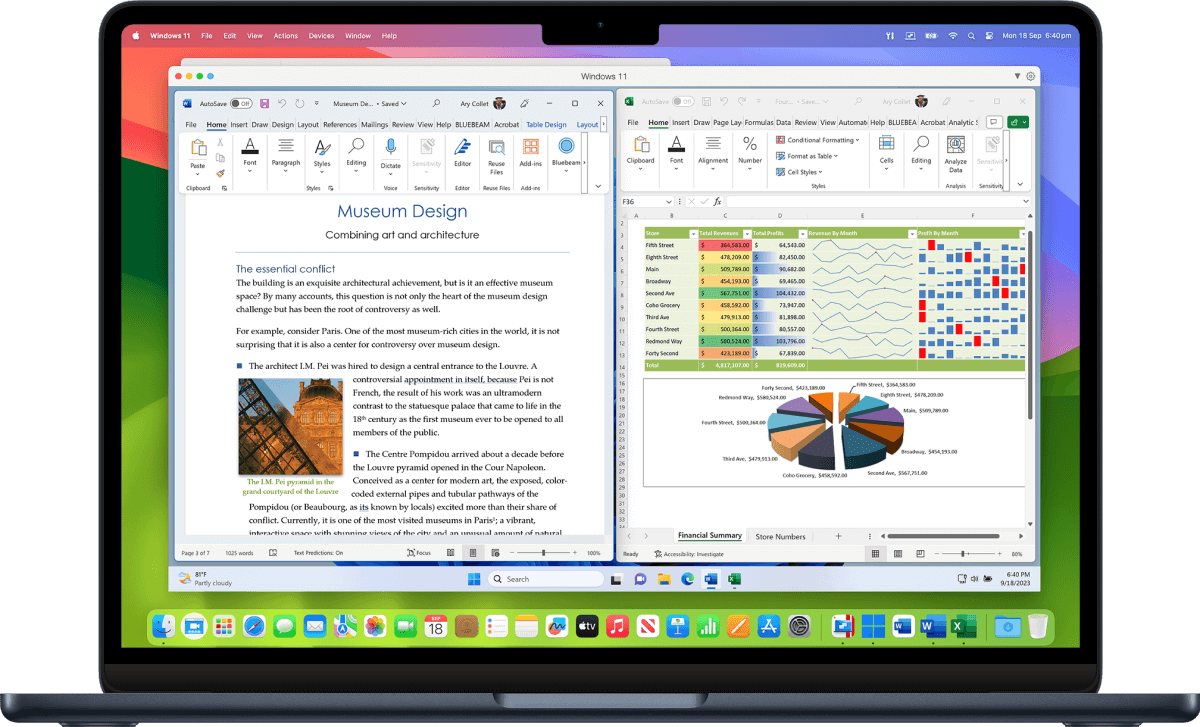
Comfortable using Windows? We've got you covered. Enjoy the best Windows has to offer, fully integrated into your Mac environment.
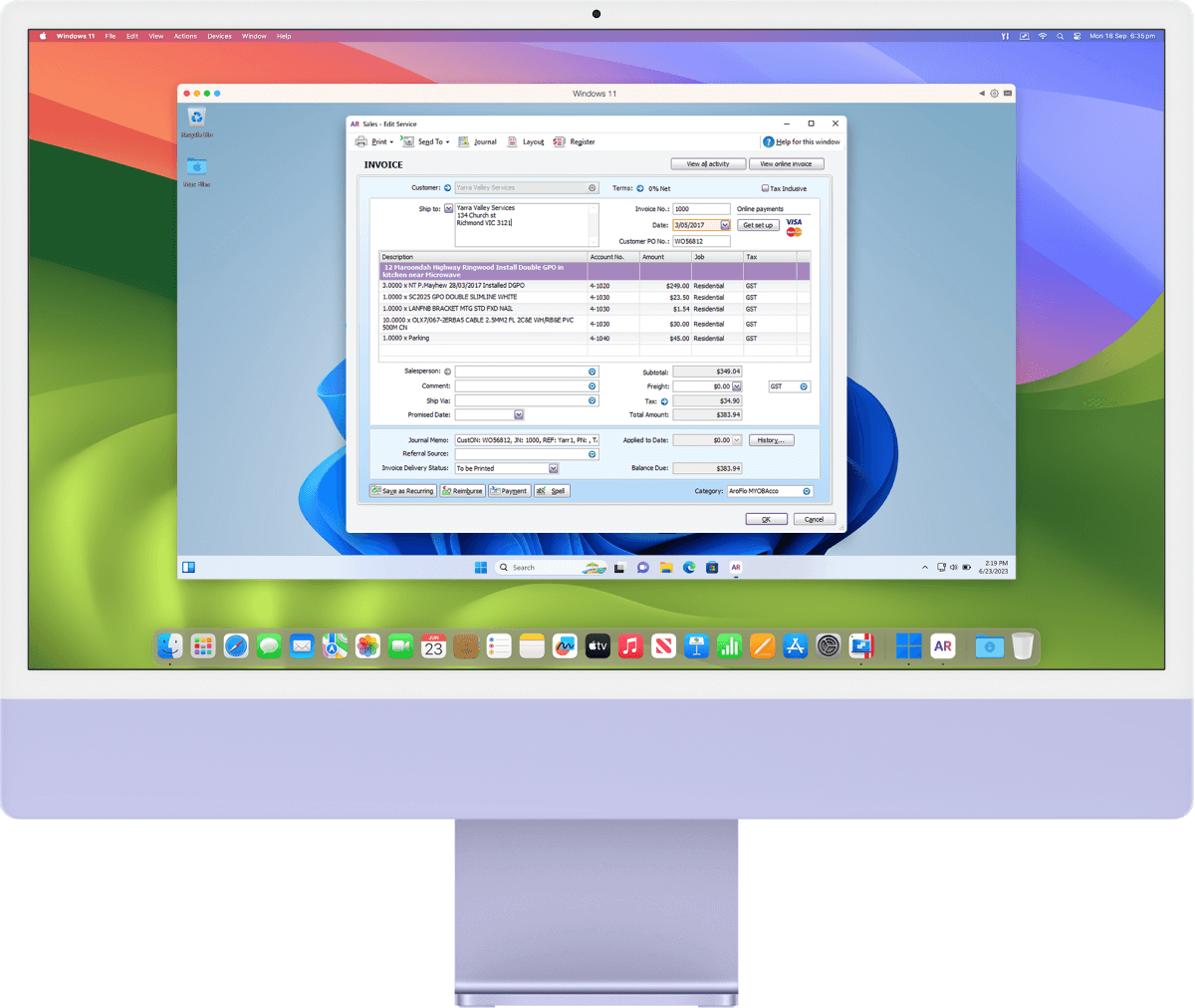
Streamline your financial tasks with easy access to the most popular accounting software like MYOB, QuickBooks and many more.

Experience the full power of Microsoft Office on Windows with advanced macros, extensive plugin support, and superior compatibility.

Parallels Desktop unlocks your Mac’s capability to run specialized Windows software like Matlab, Ansys, SolidWorks, Altium Designer, and other data analysis and engineering software.
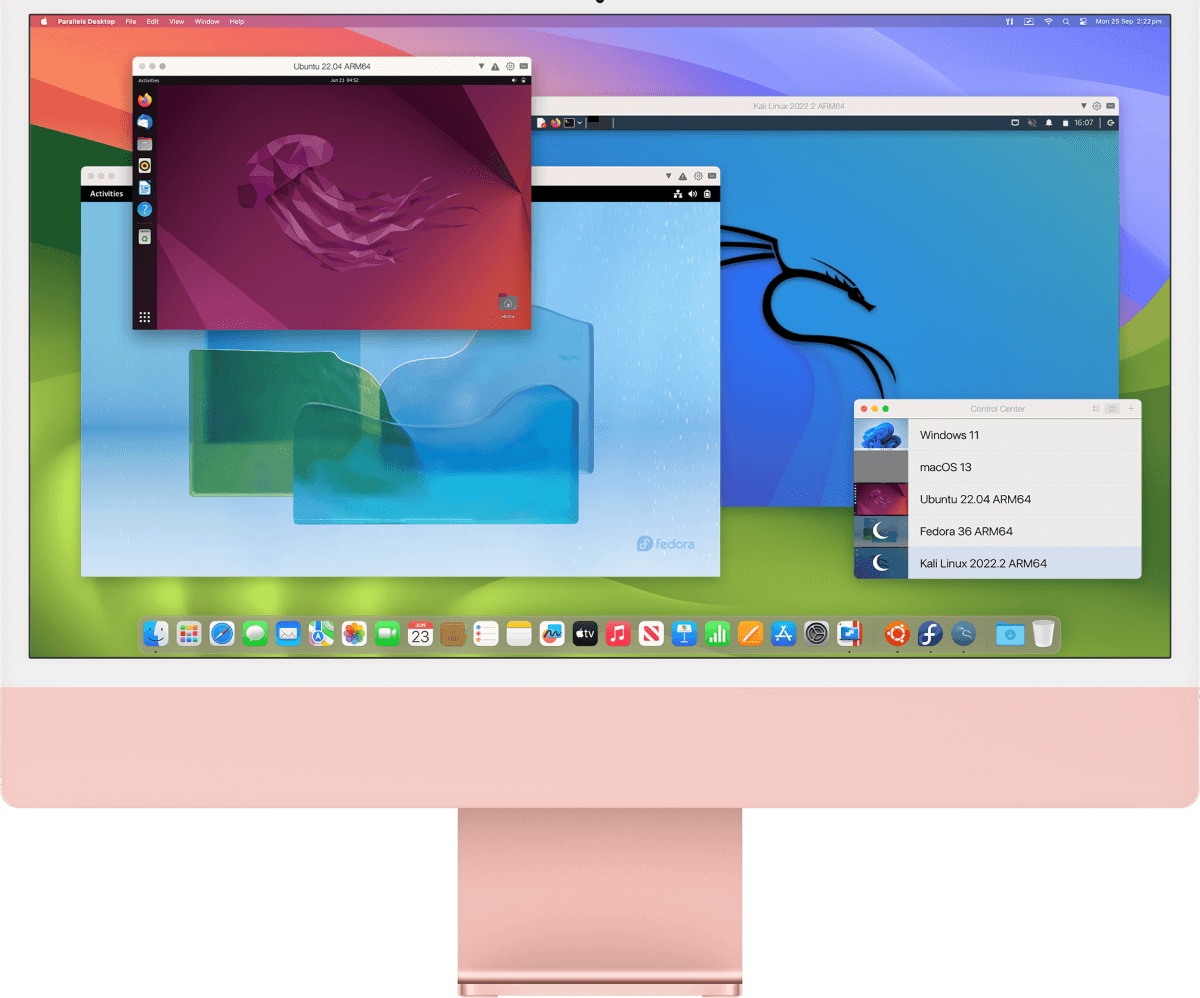
Download and run a variety of ready-to-use Linux distributions to study computer science and software engineering.

Run Articulate 360 to develop e-learning content and create online courses on your Mac.

Parallels Desktop is authorized by Microsoft to run the Arm version of Windows 11 Pro and Enterprise on a Mac with Apple silicon.

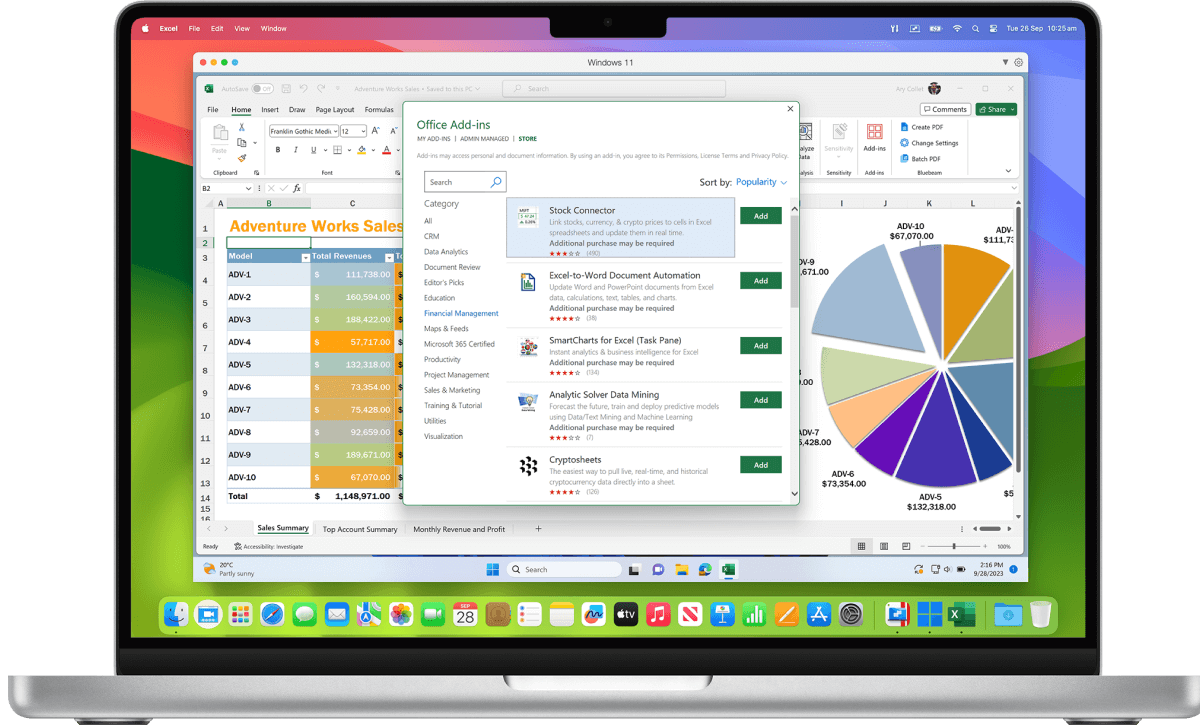
Unlock the full power of Microsoft Office 365 on your Mac and take advantage of Windows-only add-ons for Excel and PowerPoint.
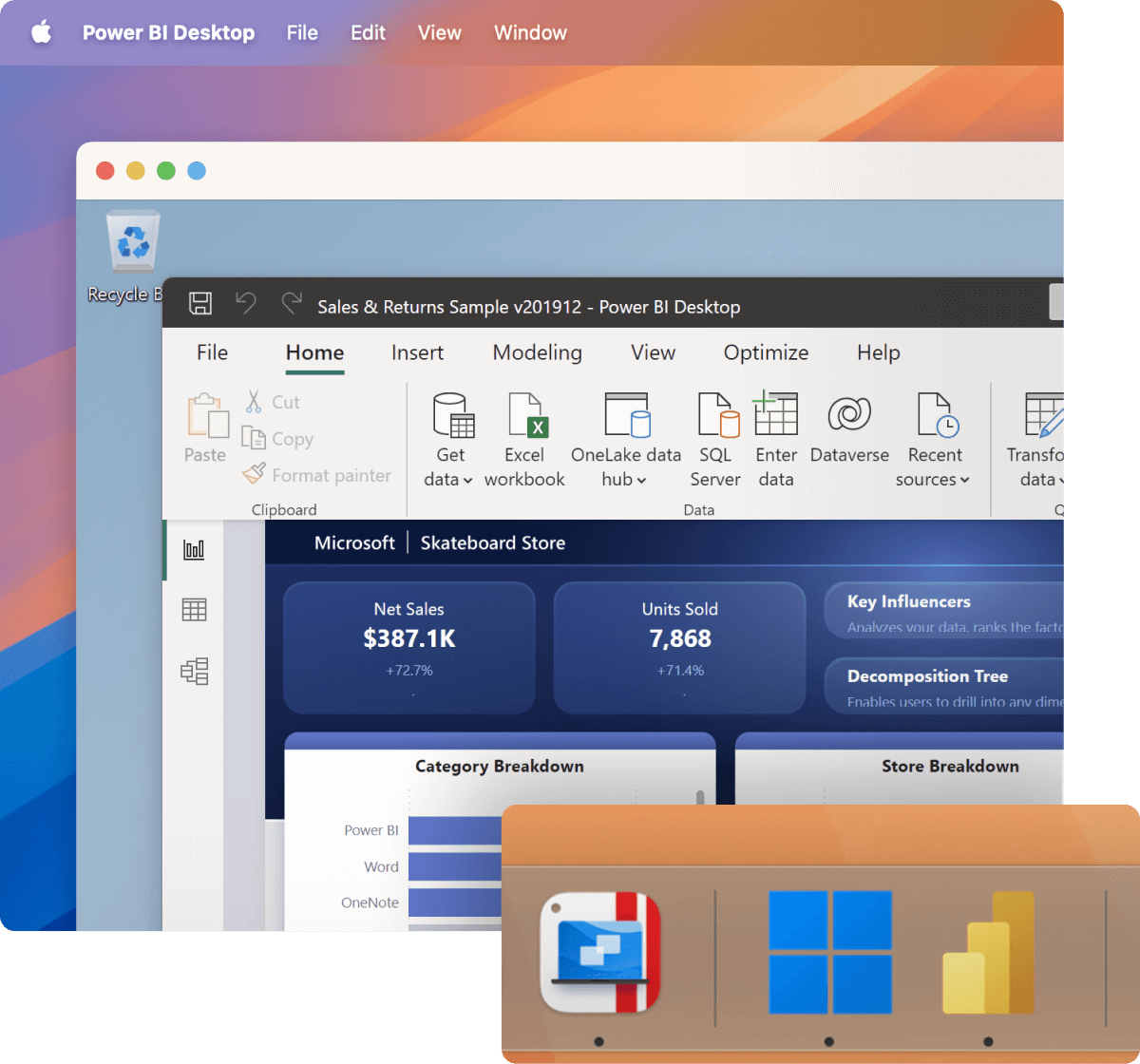
Run the full-featured version of any Microsoft app on your Mac, including
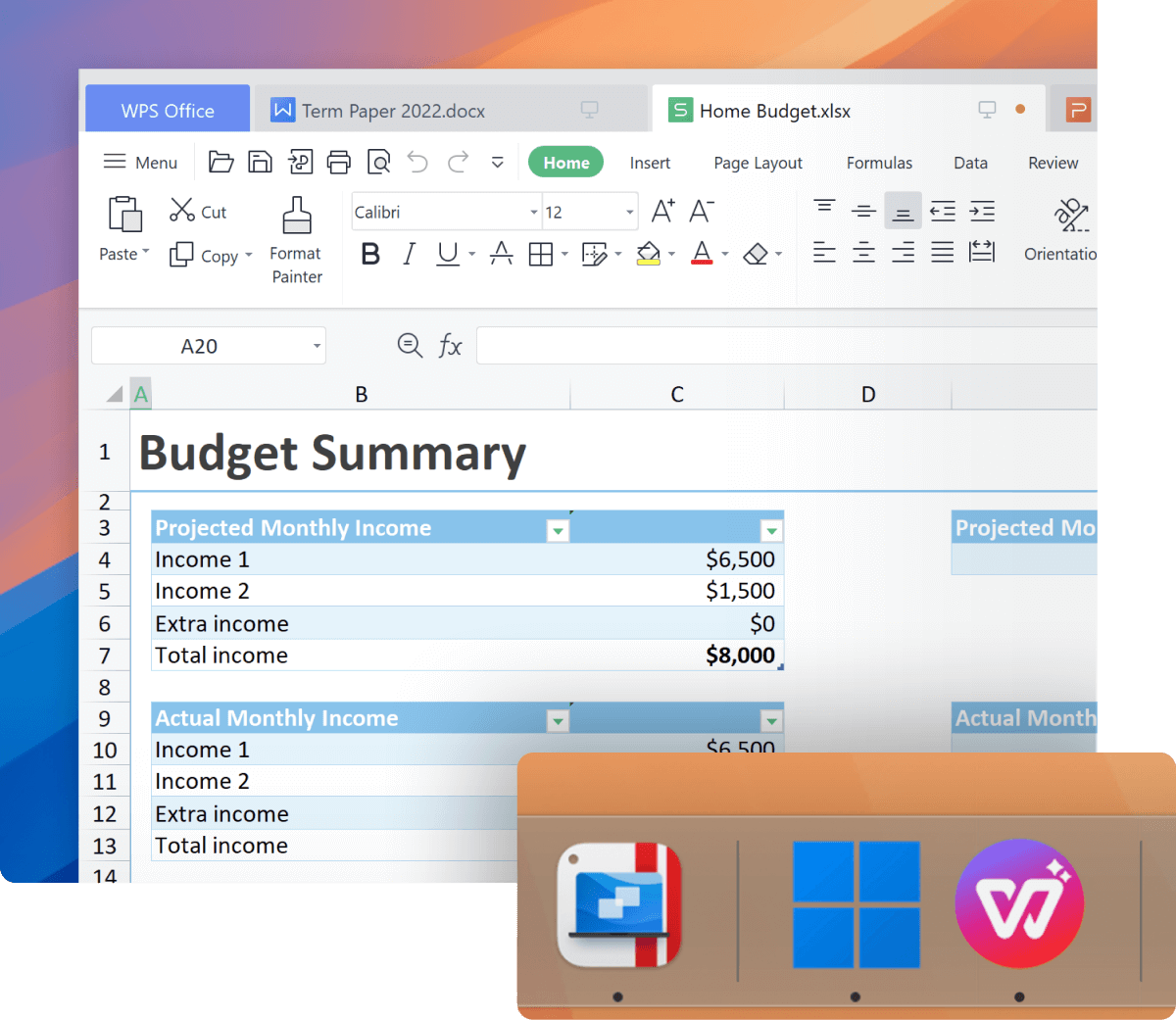
Use your preferred Windows-based office suite, including WPS Office, Hancom Office, and others.


Discover the power of Pro Edition to run graphically demanding and resource-intensive applications, high loads, and multiple virtual machines.
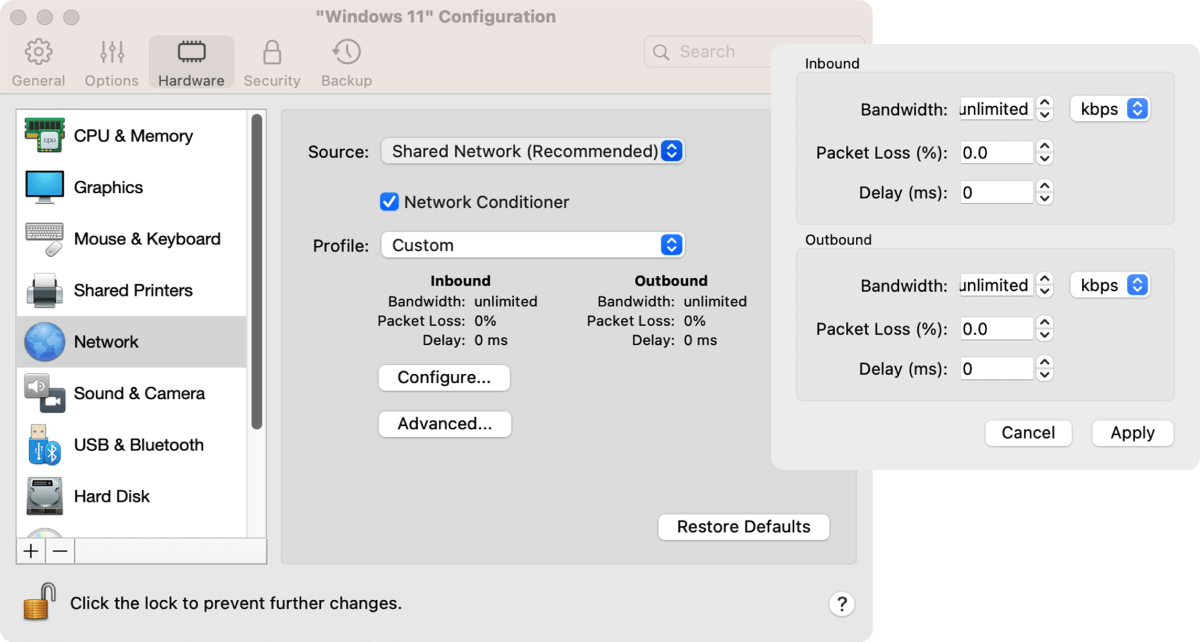
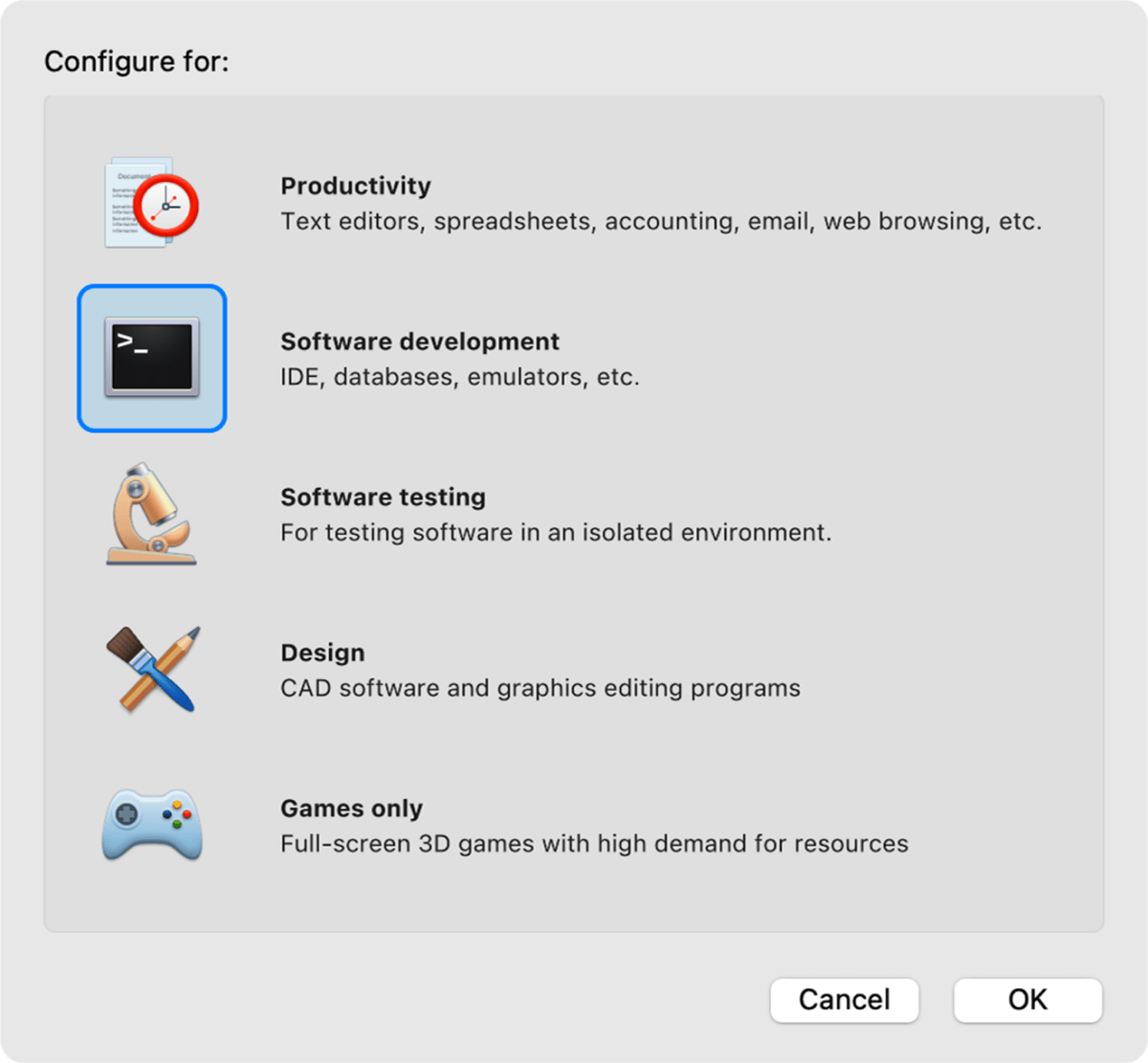

Explore advanced features for software development, network testing, and CI/CD automation.
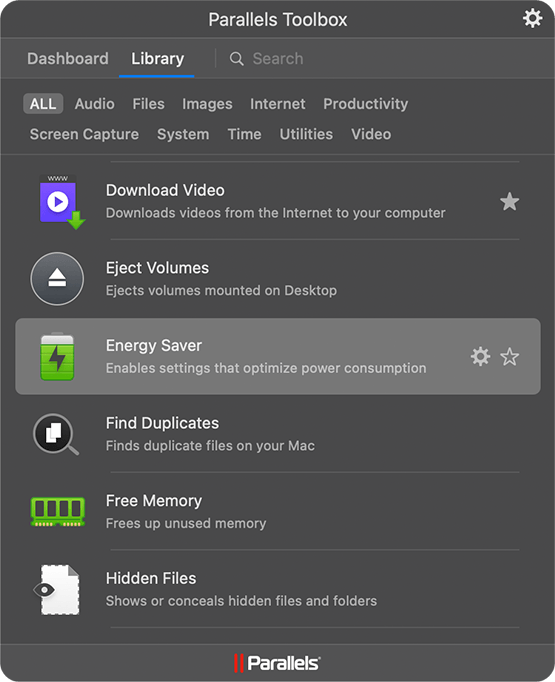
More than 40 one-touch productivity tools—clean your drive, take screenshots, download a video, and more—all with one click.
| Standard | Pro | Business | Enterprise | |
| Best for | Light home use | Power users and developers | Teams and small businesses | IT-managed deployments |
| Core components |
Standard | Pro | Business | Enterprise |
|
Maximum virtual RAM and CPUs*
|
8 GB vRAM, 4 vCPUs |
128 GB vRAM, 32 vCPUs |
128 GB vRAM, 32 vCPUs |
128 GB vRAM, 32 vCPUs |
|
Supports latest versions of macOS, Windows, and Linux
|
Subscription only | |||
|
Authorized by Microsoft and SOC 2-certified
|
||||
|
3D acceleration—DirectX and OpenGL
|
||||
|
Run thousands of Windows apps on your Mac
|
||||
| Advanced capabilities |
Standard | Pro | Business | Enterprise |
|
Run Windows apps with intensive graphics and processing needs
|
||||
|
Command line interface
|
||||
|
Built-in developer tools
|
||||
| System tools |
Standard | Pro | Business | Enterprise |
|
Disk cleanup and memory cleaner
|
||||
|
System and performance monitoring
|
||||
|
Multimedia download and conversion
|
||||
|
Productivity and privacy boosters
|
||||
|
Screen capture and recording
|
||||
| Teams and small business |
Standard | Pro | Business | Enterprise |
|
Centralized administration and license management
|
||||
|
Automation of CI/CD workflows
|
||||
|
Advanced provisioning tools
|
||||
|
Volume licensing
|
||||
|
Jamf and Intune integration for automated deployment and updates
|
||||
| Enterprise |
Standard | Pro | Business | Enterprise |
|
Management portal for policy enforcement and compliance visibility
|
||||
|
Golden image creation and deployment
|
||||
|
Encrypted VMs locked to organizational control
|
||||
|
Granular control of VM settings, network, USB, clipboard, and shared folders
|
||||
|
SSO/SAML with SCIM provisioning and per-user/device licensing
|
||||
Standard |
Pro |
Business |
Enterprise |
|
|
From
|
|
|
Contact sales for pricing |
|
| Buy now | Buy now Try now | Buy now Try now | Contact sales Try now | |
| /yr | ||||
| Upgrade | Upgrade |
| Standard | |
| Best for Light home use | |
| Core components |
|
|
Maximum virtual RAM and CPUs
|
8 GB vRAM, 4 vCPUs |
|
Supports latest versions of macOS, Windows, and Linux
|
Subscription only |
|
Authorized by Microsoft and SOC 2-certified
|
|
|
3D acceleration—DirectX and OpenGL
|
|
|
Run thousands of Windows apps on your Mac
|
|
| Buy now | |
| Pro All the Standard features PLUS: |
|
| Best for Power users and developers | |
| Core components |
|
|
Maximum virtual RAM and CPUs
|
128 GB vRAM, 32 vCPUs |
|
Supports latest versions of macOS, Windows, and Linux
|
|
|
Authorized by Microsoft and SOC 2-certified
|
|
|
3D acceleration—DirectX and OpenGL
|
|
|
Run thousands of Windows apps on your Mac
|
|
| Advanced capabilities |
|
|
Run Windows apps with intensive graphics and processing needs
|
|
|
Command line interface
|
|
|
Built-in developer tools
|
|
| System tools |
|
|
Disk cleanup and memory cleaner
|
|
|
System and performance monitoring
|
|
|
Multimedia download and conversion
|
|
|
Productivity and privacy boosters
|
|
|
Screen capture and recording
|
|
| Buy nowTry now | |
| Business All the Standard and Pro features PLUS: |
|
| Best for Teams and small businesses | |
| Teams and small business |
|
|
Centralized administration and license management
|
|
|
Automation of CI/CD workflows
|
|
|
Advanced provisioning tools
|
|
|
Volume licensing
|
|
|
Jamf and Intune integration for automated deployment and updates
|
|
| Buy nowTry now | |
| Enterprise All the Standard, Pro and Business features PLUS: |
|
| Best for IT-managed deployments | |
| Enterprise |
|
|
Management portal for policy enforcement and compliance visibility
|
|
|
Golden image creation and deployment
|
|
|
Encrypted VMs locked to organizational control
|
|
|
Granular control of VM settings, network, USB, clipboard, and shared folders
|
|
|
SSO/SAML with SCIM provisioning and per-user/device licensing
|
|
| Contact salesTry now | |
We appreciate your interest in Parallels products.
Please check your email for instructions to download and install your trial.
We appreciate your interest in Parallels products.
Please check your email for instructions to download and install your trial.
We appreciate your interest in Parallels products.
Please check your email for instructions to download and install your trial.
We're proud of our Parallels products and we're confident that you'll be satisfied with your purchase. That's why we offer the Parallels 30-Day Money-Back Guarantee. Buy today and if you're not completely satisfied with your purchase within the initial 30 days, Parallels will refund your money based on your original method of payment. For more information on our refund policy, click here.
Please note: Only products purchased directly from www.parallels.com qualify for the Parallels 30-Day Money-Back Guarantee. Purchases made from a retailer or partner must be returned to where you made your purchase and are subject to the return policy of that retailer. Offer excludes renewal transactions.
It depends on what you are running. Standard Edition supports up to 8 GB of vRAM and 4 vCPUs per VM, which is enough for everyday Windows use such as Microsoft Office, browsers, and many business applications. Pro raises those limits to as much as 128 GB of vRAM and 32 vCPUs per VM on supported Mac hardware. It is the better fit if you work with applications such as AutoCAD, SolidWorks, or DaVinci Resolve, run several VMs at once, or use developer tools such as the Parallels CLI, Vagrant, and Jenkins. The maximum resources available depend on your Mac hardware, including whether you are using an Intel or Apple silicon Mac.
Pro Edition costs more than Standard Edition and is sold as a subscription. The higher price covers features aimed at developers and other demanding workloads, including higher VM resource limits, command-line tools, and advanced networking controls. Standard Edition is intended for everyday use and has lower CPU and memory limits. Check the Parallels Desktop buy page for current prices and purchase options.
QA engineers can maintain separate VMs for supported Windows versions, application builds, or specific test configurations on a single Mac. Snapshots make it easy to save a clean VM before testing and roll back to that state afterward, without rebuilding the environment. Pro’s higher resource limits can also help when QA engineers need to run multiple test VMs at the same time. On supported hardware, Pro can allocate substantially more resources to a VM than Standard’s 8 GB of vRAM and 4 vCPUs. For automated testing workflows, QA engineers can use the Parallels CLI and integrations with tools such as Jenkins and Vagrant to manage test environments without performing every step through the Parallels Desktop interface.
A Windows VM runs separately from macOS, but its access to the Mac and external networks depends on how the VM is configured. For development involving sensitive source code or test data, developers can restrict features such as shared folders and clipboard sharing to help keep that content within the VM. Parallels Desktop Pro also supports Shared, Bridged, and Host-Only networking. Host-Only networking keeps the VM off external networks while allowing it to communicate with the Mac and other VMs on the same host-only network. For projects with specific security or compliance requirements, developers should configure these controls according to their organization’s policies rather than relying on default VM settings.
Parallels Desktop Pro gives demanding Windows applications access to higher CPU and memory limits than Standard Edition. On supported hardware, a Pro VM can use up to 128 GB of vRAM and 32 vCPUs, compared with 8 GB and 4 vCPUs in Standard. Windows graphics are accelerated using the Mac's graphics hardware, which supports workflows in applications such as AutoCAD, SolidWorks, and Revit. How well a particular project runs depends on the Mac and the workload. A large SolidWorks assembly or complex Revit model can require considerably more resources than a 2D AutoCAD drawing, so the application's name alone doesn't determine the hardware you'll need.
Yes. Parallels Desktop Pro can run supported Windows Server releases as virtual machines, including Windows Server 2019 and 2022. That gives developers a local environment for server-side development, configuration testing, Windows APIs, or lab setups without maintaining a separate physical server. Pro's higher CPU and memory limits are useful here, particularly if Windows Server needs to run alongside a Windows 11 or Linux development VM. Supported Windows Server versions vary by Mac hardware and processor architecture, so check the current Parallels guest OS compatibility information before setting up a particular release.
Network performance in a Windows VM can vary depending on the VM’s configuration, networking mode, and workload. Shared networking gives the VM network access through the Mac, while Bridged networking lets the VM appear as a separate device on the same network. Host-Only networking limits communication to the Mac and other VMs on the same host-only network, without access to external networks. Parallels Desktop Pro provides additional networking controls for developers who need to configure environments for API development, database testing, local web servers, or QA.
Shared folders let Windows tools access a development directory stored on macOS. A Git repository on the Mac, for example, can be opened from a Windows IDE without maintaining a second synchronized copy inside the VM. This works well when a project uses tools from both environments, such as Visual Studio or PowerShell in Windows alongside Terminal, Git, or other development tools on macOS. SSH is another option. Once an SSH server is configured in the guest OS, developers can connect to the Windows VM from Terminal on the Mac and keep more of the workflow on the command line.
Yes. Parallels Desktop Pro includes prlctl, a command-line tool for managing virtual machines from scripts. It can create, start, stop, suspend, delete, snapshot, and otherwise manage VMs without requiring each action to be performed through the desktop interface. That is useful for workflows built around Jenkins, Vagrant, shell scripts, or other automation. A QA job, for example, can start a known test environment, run work against the VM, and shut it down afterward.
Yes. Windows Terminal and PowerShell can run inside a Windows VM on your Mac, allowing you to use Windows-specific scripts and command-line tools while keeping macOS Terminal available for Mac-based tasks. You can also run Windows development tools such as Visual Studio, Visual Studio Code, and Git inside the VM as needed. PowerShell networking and remoting capabilities depend on the VM’s network configuration and the systems it needs to access.
Yes. Pro can run multiple VMs simultaneously, so Windows 11 and a supported Linux distribution such as Ubuntu, Debian, or Fedora can run on the same Mac. This is useful when a project needs Windows tooling alongside a Linux development or test environment. Pro's higher resource limits give multi-VM setups considerably more headroom than Standard Edition's maximum of 8 GB of vRAM and 4 vCPUs per VM. The number and size of VMs you can run comfortably still depend on the CPU and physical memory in your Mac.
Yes. You can set up a Windows VM in Parallels Desktop Pro and install AutoCAD inside it, giving you a dedicated Windows environment for your CAD work on a Mac. You can keep the VM set up with AutoCAD and the other Windows tools your workflow requires, rather than reconfiguring the environment each time. Pro gives the VM access to higher CPU and memory limits than Standard Edition, while supported Windows graphics workloads can use the Mac’s graphics hardware. The same VM-based approach can be used with other supported Windows CAD and engineering applications, such as Revit and SolidWorks. Resource needs vary by workload. Large 3D models can place greater demands on both the VM and Mac than everyday 2D drafting, so configure VM resources and choose Mac hardware based on the work you plan to do.
Pro lets you assign substantially more CPU and memory to a VM than Standard Edition. Standard tops out at 8 GB of vRAM and 4 vCPUs per VM, while Pro supports much higher allocations on compatible Mac hardware, reaching up to 128 GB of vRAM and 32 vCPUs. Those higher limits can help with workloads such as Visual Studio builds, AutoCAD or SolidWorks projects, DaVinci Resolve, local Windows Server environments, and running several development or QA VMs at once. Assigning the maximum isn't automatically the best configuration. macOS and your Mac applications still need resources, so VM settings should reflect the workload and the hardware available on the Mac.
Check out Parallels Desktop Business Edition.
Parallels offers exclusive discounts for students currently enrolled in a qualified institution or professional educators who are currently employed at a qualified institution. Educational discounts can save users up to 50%. Start by verifying eligibility.
Parallels Desktop Pro Edition offers all the capabilities you already know and love, plus it is packed with extra features, including:
Parallels offers a 30-day money-back guarantee on all initial purchases made on parallels.com. If you purchased from another retailer, please check their return policy.
Microsoft has confirmed that Parallels Desktop for Mac used with Arm versions of Windows 11 Pro and Enterprise editions is an officially compatible solution for customers on Apple silicon Mac computers.
Users will be able to bring their own Windows 11 license keys if they have a key that can be used to activate Windows.
To learn more about any limitations running Windows 11 on Parallels Desktop, please visit https://kb.parallels.com/129497
Parallels Desktop Pro is built for developers, QA testers, IT professionals, and power users who need more control, performance, and flexibility than the standard edition offers. It’s ideal for running multiple virtual machines, testing across operating systems, automating workflows, and handling resource-intensive workloads on Mac, including Apple Silicon systems.
Parallels Desktop Pro includes advanced features for developers and power users, such as support for running multiple VMs simultaneously, enhanced networking options, automation tools, and greater CPU/RAM allocation, that aren’t available in the Standard edition. In contrast, Parallels Desktop Standard is designed for everyday users who want an easy way to run Windows and other operating systems on a Mac without the performance tuning, development workflows, or enterprise-level management features found in Pro.
Yes. Parallels Desktop Pro supports Docker, Kubernetes, and DevOps workflows by giving you the performance, automation, and virtualization flexibility needed for local development and testing. With Pro, you can run and manage containerized environments, integrate with development tools, and build, test, or debug applications across multiple operating systems directly on your Mac. This makes it a strong choice for developers and engineers working with modern DevOps toolchains.
Yes, with Parallels Desktop Pro you can run multiple virtual machines simultaneously on your Mac, allocating more CPU and memory to each as needed. This makes it easier to test across different operating systems or configurations in parallel without constantly shutting down and restarting individual VMs.
Yes, you can upgrade from Parallels Desktop Standard to Parallels Desktop Pro by purchasing a Pro license and entering the new activation key in the app. Once upgraded, you’ll immediately unlock the additional performance, networking, and development features that Pro offers without needing to reinstall anything.
Parallels Desktop Pro is primarily offered as a subscription, which includes ongoing updates and access to Pro-only features for the duration of your plan. A one-time perpetual license is generally not available for the Pro edition, so if you want to keep using Pro and receive updates year after year, you’ll need to maintain an active subscription.
For the most up-to-date system requirements, please visit our Knowledge Base article.
Parallels Desktop free trial
You’re on a mobile device. We will send you the download link to your email address so you can download Parallels Desktop directly to your computer.
You're close!
Check your email on your computer to download your free trial.


