




Run the Windows apps your major requires, on your Mac
Run the Windows apps many engineering, CS, and business programs require directly on your Mac. UseSOLIDWORKS, Linux virtual machines, Visual Studio, Excel, and Power BI without rebooting into Windows or carrying a second laptop.
Fully optimized for Apple silicon Macs, including MacBook Neo. Parallels Desktop is the only virtualization solution authorized by Microsoft to run Windows 11 on Apple silicon Macs.
All your educational apps, one seamless Windows-Mac experience
Grab your ID and sign up for a student discount (it only takes 5 minutes) to ensure that you and your Mac are optimized for educational wins. The 50% off educational discount to current and newly accepted students as well as faculty and staff at colleges, universities, and other academic institutions.
Enjoy powerful virtualization software at a price that fits into your student budget—don't miss out on this exclusive offer to improve your academic performance with Parallels Desktop.
- Launch Windows apps and run multiple OSs on the same Mac.
- No restarts. No extra devices. Just exceptional performance.
- Use 200,000+ Windows apps side-by-side with macOS apps.
Your Mac. Every app your classes require.
If you need it for class, Parallels Desktop Pro can run it.
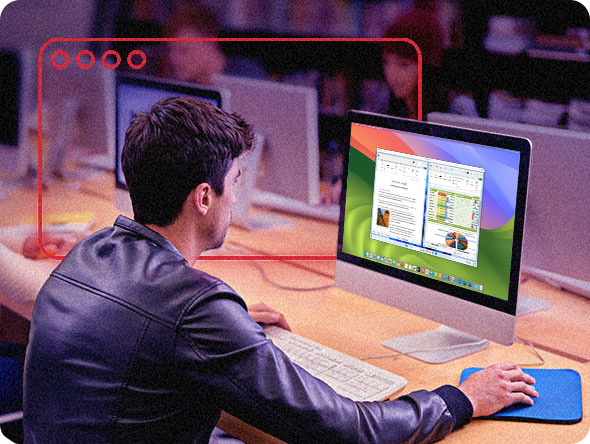
Open Windows applications alongside your Mac apps from the same device you already use for class.
Unlock your student discount in just 5 minutes

1. Verify you’re a student or faculty
Find and select your school. Log in with your credentials.

2. Check out and get 50% off
Your discount will be applied automatically.

3. Download and get started
Check your email and launch Parallels Desktop!
Engineering students: run SOLIDWORKS, AutoCAD, MATLAB, and Revit on your Mac
Many engineering programs require Windows-only software for CAD, drafting, modeling, simulation, and lab work. Students commonly use SOLIDWORKS for 3D CAD, AutoCAD for drafting and design, MATLAB for computation, and Revit for building information modeling. With Parallels Desktop, engineering students can run these applications inside Windows on the same Mac they already use for coursework, labs, and projects. Graphics-intensive applications get the GPU acceleration and processing resources they need without requiring a separate Windows laptop.
Parallels Desktop Pro Edition supports up to 128 GB vRAM and 32 vCPUs per virtual machine.
CS students: how to use virtual machines for coursework on your Mac
Computer science programs frequently rely on virtual machines for development, testing, operating systems coursework, and security labs. Parallels Desktop lets students spin up Windows, Linux, and macOS virtual machines side by side on the same Mac, Making it easier to switch environments without rebooting.
Common ways CS students use virtual machines in coursework
Operating systems courses. Run Linux distributions such asUbuntu, Debian, or Kali to study kernel behavior, process scheduling, networking, and file systemswithout modifying your primary macOS environment.
Systems programming and software development. Compile and test applications inside isolated Windows or Linux environments that closely match classroom lab configurations and grading environments.
Cybersecurity and ethical hacking labs. Use isolated virtual machine networks to practice penetration testing, packet Analysis, and security workflows in a contained environment.
Cross-platform development. Build applications in macOS and test them in Windows or Linux with from the same machine without needing separate hardware.
Web development and QA testing. Run multiple operating systems and browsers locally to test rendering, compatibility, and application behavior during development projects.
Parallels Desktop Pro Edition includes snapshot and rollback functionality, allowing students to restore a clean VM state in seconds. VM templates also make it easier toconfigure one environment and resuse it across multiple classes and projects
Ready to save? See your student discount
Business students: run the full Windows version of Excel, Power BI, SAP, and Bloomberg Terminal on Mac
Business, finance, and MBA programs often depend on Windows application that either are not available on macOS or offer reduced functionality on the Mac version.
Many students use the Windows version of Excel for advanced Power Query support, VBA macros, solver add-ins, and financial modeling workflows commonly used in coursework Power BI Desktop and Bloomberg Terminal are also Windows-only applications frequently required in finance, analytics, and business intelligence programs.
Parallels Desktop gives students access to the same Windows applications commonly used in business classrooms, labs, and professional environments, directly from their Mac.
Common Windows applications business students run with Parallels Desktop
- Microsoft Excel (Windows) for full VBA macro support, Power Query, and add-ins
- Power BI Desktop for business intelligence and data visualization
- Bloomberg Terminal for finance and market analysis coursework
- SAP GUI for operations, supply chain, and enterprise systems classes
- SPSS for business and statistical analysis projects
Architecture and design students: run AutoCAD and Revit on your Mac
Architecture and design programs often rely on AutoCAD, Revit, SketchUp Pro, and other graphics-intensive Windows applications for drafting, rendering, and studio projects.
Parallels Desktop allows architecture students to run the full Windows versions of these applications on Apple silicon Macs, including support for DirectX and OpenGLacceleration for rendering and design workflows.
Find the right fit for your academic needs
| Standard | |
| Best for Light home use | |
| Core components |
|
|
Maximum virtual RAM and CPUs
|
8 GB vRAM, 4 vCPUs |
|
Supports latest versions of macOS, Windows, and Linux
|
Subscription only |
|
Authorized by Microsoft and SOC 2-certified
|
|
|
3D acceleration—DirectX and OpenGL
|
|
|
Run thousands of Windows apps on your Mac
|
|
| BuyUpgrade | |
| Most Popular | |
| Pro All the Standard features PLUS: |
|
| Best for Power users and developers | |
| Core components |
|
|
Maximum virtual RAM and CPUs
|
128 GB vRAM, 32 vCPUs |
|
Supports latest versions of macOS, Windows, and Linux
|
|
| Advanced capabilities |
|
|
Run Windows apps with intensive graphics and processing needs
|
|
|
Command line interface
|
|
|
Built-in developer tools
|
|
| System tools |
|
|
Disk cleanup and memory cleaner
|
|
|
System and performance monitoring
|
|
|
Multimedia download and conversion
|
|
|
Productivity and privacy boosters
|
|
|
Screen capture and recording
|
|
| BuyUpgrade | |
System requirements for Desktop for Mac Student and Educator Edition
System Requirements
Parallels Desktop works with all modern Macs.
For the most up-to-date system requirements, please visit our Knowledge Base article.
Why students choose Parallels Desktop
Why buy from Parallels


FAQs about Parallels Desktop for students and educators
All registered academic students, staff, and faculty worldwide are eligible. The discount applies to accredited public or private K-12 schools, school districts, community colleges, and universities. Current and newly accepted students both qualify. There is no limit on the number of years you can use the education discount while enrolled.
Select Standard or Pro Edition, click Buy Now, then verify your academic email address in the new tab. A confirmation with your discounted cart will be sent to your institutional email. The discount is applied automatically at checkout once your academic status is confirmed.
The education discount lasts throughout your academic career. You can renew it annually as long as you remain enrolled at a qualifying institution. There is no limit on the number of years you can continue using the discount while you are a student.
Installing Parallels Desktop is designed to be user-friendly and tech support is available.
Yes. Parallels Desktop walks you through downloading and installing Windows, with a step-by-step setup process. Most students are up and running within minutes. Subscribers also have access to 24/7 chat support and getting-started resources.
Parallels Desktop Pro Edition is recommended for engineering, CS, architecture, and design students Running graphics-intensive or multi-VM workflows. Standard Edition works well for lighter everyday use and basic Windows applications.
No. Parallels Desktop is optimized for Apple silicon Macs and dynamically manages CPU, memory, and system resources.
Most students can run Windows applications alongside macOS applications without noticeable slowdowns during normal coursework.
No. Parallels Desktop guides you through downloading and installing Windows directly inside the application. A Windows license is still required and may be available through your institution .
CS students use virtual machines to run isolated operating systems for programming assignments, systems courses, testing environments, cybersecurity labs, and backend development work. Common use cases include Linux environments for operating systems coursework, aisolated test setups for security labs, and cross-platform testing without rebooting.
No. Many engineering students run SOLIDWORKS, AutoCAD, MATLAB, and Revit inside Windows on their Mac with Parallels Desktop. This allows students to use required engineering software without purchasing and maintaining a separate Windows laptop. Parallels Desktop Pro Edition supports up to 128 GB vRAM and 32 vCPUs per virtual machine.
Yes. SOLIDWORKS runs inside Windows on Apple silicon Macs using Parallels Desktop Pro Edition. Students can use DirectX graphics acceleration and configurable virtual machine resources for 3D modeling and engineering resources.
For full performance details, see the SOLIDWORKS on Mac performance guide.
Yes. Architecture and designed students can run the full Windows version of AutoCAD inside Parallels Desktop on any Apple silicon Macs, including features that differ from the macOS version. See the full setup guide.
Business, finance, and MBA programs commonly requireWindows applications such as the full version of Excel for VBA macros and Power Query, Power BI Desktop (Windows-only), Bloomberg Terminal (Windows-only), SAP GUI for operations coursework, and SPSS for statistical analysis.
Yes. Parallels Desktop is the only virtualization solution authorized by Microsoft to run Windows 11 on Apple silicon Macs. This helps provide expected licensing behavior and reliable Windows update access. Details here.
Ready to save on Parallels Desktop Pro?
Run Windows, multiple OSs, and over a million apps like they are native to Mac—with a 50% student discount.
- All the apps you need for class — including Microsoft Office, Visual Studio, MATLAB, AutoCAD, Adobe Creative Suite, and more—can run on Mac using the OS of your choice.
- Robust CPU and RAM support ensures efficiency and smooth performance, helping you tackle any and all academic challenges.
- Students, faculty, and staff enjoy an extra discount.