







Stable Virtual Desktops in Windows 10 or Windows 11
If you rely on Windows 10 tools but you’re a Mac user, you don’t need to get a second machine or choose between operating systems. Instead, use Parallels Desktop to create Windows 10 and 11 virtual machines within your current device, which are powerful, stable, and feel native.
Parallels Desktop supports Mac users
- Launch Windows apps in seconds.
- User-friendly setup; no IT pros required.
- No time lost to reboots.
Parallels Desktop is specifically designed for:
New Mac users who still want to use the Windows apps they love.
Power users who rely on Windows daily for work, including professionals and developers.
Students and education users with legacy Windows 10 requirements.
Ready to use Windows 10 or Windows 11 on your Mac?
Why virtual desktops matter for Mac-first teams
Computing preferences and requirements change. With virtual desktops by Parallels, your workflow stays the same.
What is a virtual desktop? It’s a full, self-contained operating system that runs inside your current computer. This means, if you’re a Mac user, you can run a Windows OS inside macOS.
This is different from:
Built-in tools, like native Windows desktop switching, only allow you to switch between workspaces on the same Windows machine.
Virtualized Windows desktops on Mac, where Windows runs somewhere else and streams to your screen over the internet.
Here’s what you get with virtual desktops by Parallels:
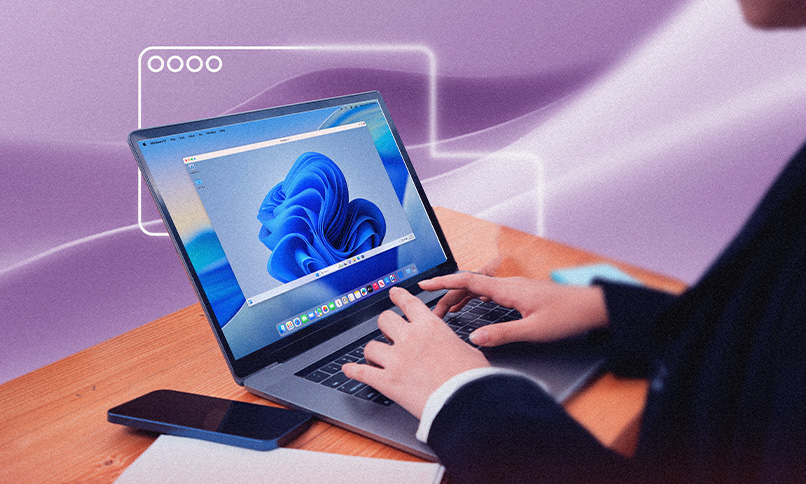
Reliable performance
Experience feels near-native for both everyday business apps and demanding professional tools.
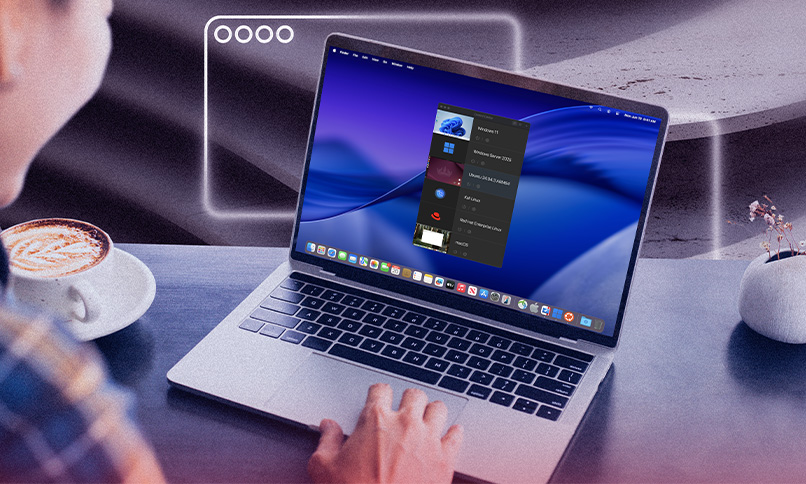
Fast Windows apps on Apple silicon
Parallels Desktop is optimized for M-series Macs.

Broad compatibility
Parallels Desktop is compatible with hundreds of thousands of apps.
Parallels Desktop is built for you if you’re a business that’s standardized on macOS, but still relies on Windows-only applications, such as:
Accounting systems
ERP clients
Legacy internal tools
Compliance software
Engineering utilities
Browser-based test environments
Upgrading to Windows 11
With Parallels Desktop for Mac, both Windows 10 and Windows 11 are supported on modern Macs, including Apple silicon. That means when you’re ready, you can transition your virtual desktop from Windows 10 without changing hardware.
Keep in mind:
For Apple Silicon Macs, Parallels Desktop 26 supports installing Windows 11 Pro and Enterprise Editions designed for Arm processors.
If you install Parallels Desktop 26 on a Mac with an Intel processor, you can run any edition of Windows 10 and 11.
Limitations of native Windows 10 virtual desktops without Parallels
Windows 10 includes a virtual desktops feature that lets users create multiple workspaces within Windows and switch between them.
This is not the same as Parallels Desktop virtual machines, and comes with limitations:

No support for macOS hosts
Windows 10’s built-in virtual desktops only work inside Windows itself. It does not allow Windows to run on macOS.
No centralized provisioning or lifecycle management
Native Windows virtual desktops are user-level workspace features, not deployment tools. They don’t help IT teams provision standardized Windows environments, maintain golden images, enforce update baselines, or control VM configurations across teams.
No enterprise policy enforcement
Native Windows 10 virtual desktops offer no enforcement layer on Macs. This means they can’t support identity-based access, encryption policies, or endpoint compliance checks.
Performance tied to unmanaged hardware
On standalone Windows PCs, performance depends on the physical device. On unmanaged setups, that often means inconsistent hardware configurations, aging systems, and unpredictable results.
Poor fit for IT-managed Mac fleets
Remote desktop setups introduce latency, VPN dependency, and session instability. Meanwhile, issuing separate Windows laptops increases cost and support burden.
How Parallels Desktop powers Windows 10 virtual desktops on Mac
Parallels Desktop allows you to easily run Windows 10 virtual desktops from the Mac you love.
Here’s how:
Fast setup, with two-click Windows provisioning
Users can install and launch Windows in minutes.
High-performance virtualization
CPU and memory are allocated intelligently to avoid slowdowns and ensure Windows apps respond smoothly. GPU acceleration enables responsive graphics for more advanced tools.
Apple silicon support
Parallels engineers created a new virtualization engine that leverages Apple silicon's hardware-assisted virtualization and enables you to run Arm-based virtual machines.
Deep macOS integration
Parallels Desktop integrates Windows and macOS at the workflow level, supporting file sharing, clipboard, printers, cameras, and audio between your main operating system and virtual machine.
Powerful IT controls
Parallels aligns virtualization with security and governance needs, such as policies, encryption, SSO, and Jamf Pro integration.
Enterprise readiness
Parallels Desktop supports enterprise-grade controls, including SOC 2 compliance, monitoring, and update controls.
Business and IT use cases
Parallels Desktop allows you to run Windows applications locally on your Mac, move files instantly between macOS and Windows, and use USB devices (such as printers) as expected.
You’ll benefit from using Parallels if you’re:
A finance or accounting team running Windows-only applications on Mac, such as legacy accounting systems, tax prep tools, or Excel add-ins.
Developers are testing Windows and Linux environments locally. Parallels Desktop supports full Windows and Linux virtual machines on Mac, allowing test builds across operating systems, snapshot before risky changes, and keeping environments isolated (but integrated with macOS tools).
Running education and training environments while using macOS hardware. Schools, universities, and training organizations frequently standardize on Macs but still rely on Windows-only courseware.
Proof, trust, and validation: Our enterprise cloud customers





Parallels Desktop vs native Windows desktop tools
Native Windows desktop tools are built for Windows PCs. But Parallels Desktop for Mac was built specifically to run Windows on a Mac.
Here’s what that difference means for you:
| Category | Native Windows desktop tools | Parallels Desktop |
| macOS compatibility | Designed to manage workspaces inside Windows itself. They assume Windows is the primary operating system and hardware host. | Designed for macOS as the primary system. Windows runs inside a virtual machine that integrates directly with your workflows and feels native. |
| Centralized IT management | Performance depends entirely on a Windows PC and its hardware configuration. There’s no optimization layer for Apple silicon because macOS isn’t supported as a host. | Optimized for modern Macs, including M-series chips. Uses native hardware virtualization so Windows shares CPU, memory, and graphics resources efficiently. |
| Security and compliance controls | Focus on desktop organization, not cross-platform security governance. | Supports VM encryption, identity integration, policy-based restrictions (USB, shared folders, networking), and enterprise-grade controls. |
| Deployment and onboarding speed | A Windows device is required before desktop switching can occur. | Windows can be provisioned quickly on existing Macs, reducing hardware dependencies and speeding up onboarding. It also stays responsive under load. |
With Parallels Desktop, Windows fits easily into your Mac life.
Editions and deployment fit (Parallels Workspace Solutions):
There are different editions of Parallels Desktop, designed for users of all types:
Standard Edition (for individual users)
Best for:
-
![No support for macOS hosts]() New Mac users who still need Windows-only apps.
New Mac users who still need Windows-only apps. -
![No support for macOS hosts]() Students running required courseware.
Students running required courseware. -
![No support for macOS hosts]() Home users or professionals with light productivity workloads.
Home users or professionals with light productivity workloads. -
![No support for macOS hosts]() Finance or business users running a single Windows environment.
Finance or business users running a single Windows environment.
Standard Edition provides everything needed to run a stable Windows 10 or Windows 11 virtual desktop locally on a Mac. Installation is fast, macOS integration is built in, and resource allocation is handled automatically for typical workloads.
Pro Edition (for developers and power users)
Best for:
-
![No support for macOS hosts]() Developers testing Windows and Linux environments.
Developers testing Windows and Linux environments. -
![No support for macOS hosts]() Engineers running multiple virtual machines.
Engineers running multiple virtual machines. -
![No support for macOS hosts]() Power users who need advanced performance controls.
Power users who need advanced performance controls.
Pro Edition expands resource limits and provides users with greater control over CPU, memory, networking, and advanced VM configurations.
Business and Enterprise Editions (for IT-managed Mac fleets)
Best for:
-
![No support for macOS hosts]() Organizations standardized on macOS.
Organizations standardized on macOS. -
![No support for macOS hosts]() Teams are deploying Windows environments across multiple Macs.
Teams are deploying Windows environments across multiple Macs. -
![No support for macOS hosts]() IT-managed fleets requiring policy control and governance.
IT-managed fleets requiring policy control and governance. -
![No support for macOS hosts]() Regulated environments that require encryption and compliance controls.
Regulated environments that require encryption and compliance controls.
Enterprise Edition adds deeper policy granularity and management capabilities for larger, security-conscious deployments.
Run Windows easily on your Mac today
If you’re a Mac user and want to run Windows apps, virtual desktops are the answer. But you need the right setup to have a fast, native-feeling experience.
When your virtual machine runs locally, is optimized for Apple silicon, integrated with macOS, and managed intentionally, it will deliver a stable, responsible, and predictable experience.
Parallels Desktop for Mac is the easiest way to keep your Windows workflow running in 2026 without buying new hardware, juggling devices, or disrupting your Mac-first strategy.
Start a free trial today and see instantly how your Windows 10 virtual desktop performs on your Mac.
Or, if you’re ready, buy now and standardize your setup with confidence.
FAQs and Clarifications
Yes, if the environment is stable, up to date, and running on modern hardware. When Windows runs locally on a Mac through Parallels Desktop for Mac, performance remains predictable, and workflows stay intact
Not unless you want to. Both Windows 10 and Windows 11 are supported in Parallels Desktop.
The risks depend on how the environment is managed.
An unpatched, unmanaged Windows system is always a risk. A properly maintained Windows 10 virtual machine (with updates applied, encryption enabled, and policy controls enforced) is far more defensible.
As long as the applications you depend on remain supported and your security practices are sound.
Virtualization extends the usable life of Windows-based workflows by running the OS in a controlled, isolated layer.