Power BI on Mac: Run the Windows-Only Power BI Desktop

Run Power BI Desktop on Mac with Parallels Desktop

Power BI Desktop doesn’t have a Mac version. There’s no native app, no beta, and no announced plan for one. If you need the full authoring experience—custom connectors, DAX modeling, Power Query, or Microsoft Fabric semantic models—you’ll need the Windows version.
Parallels Desktop lets you run that full Windows version on your mac, with support for all data connectors and full Fabric workflows. Microsoft-authorized for Windows 11 on Apple silicon.
Parallels Desktop and Power BI: how Mac users run the Windows authoring tool

/year

Trusted by over 7 million Mac users worldwide

"Parallels Desktop Pro works really well and allows you to work with Power BI and Microsoft Access between MacOS and Windows 11."

Database Manager

"I had to get Parallels Desktop Pro to use Power BI desktop and it’s been a game changer. No longer do we need to worry about software not being Mac compliant."

Senior Software Engineer

"Works without flaws when using Windows apps like Power BI."

Project Manager

Power BI Desktop has no Mac version.
To use it on a Mac, you need to run the Windows version—and here’s how

There’s no Mac version of Power BI Desktop icon

There’s no Mac version of Power BI Desktop

Power BI Desktop is a Windows-only application. Microsoft hasn’t published a Mac version, and there’s no public roadmap suggesting one is coming. You can use Power BI Service in a browser on Mac, but that’s a different product. It’s useful for viewing reports and light edits, but it doesn’t replace the full Desktop experience. If your work depends on building models, transforming data, or working with custom connectors, you’ll need Power BI Desktop running on Mac. Parallels Desktop lets you run a licensed version of Windows 11 on your Mac, with Microsoft authorization for Apple silicon.

Power BI Service on Mac isn’t the same as Desktop icon

Power BI Service on Mac isn’t the same as Desktop

Power BI Service (the web app at app.powerbi.com) runs in any modern browser on Mac. It’s great for viewing reports, creating dashboards, and some semantic model editing. But it’s not where most analysts do their core work. Key capabilities—custom connectors, advanced Power Query M editing, large-model authoring, custom visual development, and certain Direct Lake authoring paths—still live in Power BI Desktop. For teams building reports day-to-day. Service complements Desktop instead of replacing it.

Parallels Desktop is Microsoft-authorized on Apple silicon icon

Parallels Desktop is Microsoft-authorized on Apple silicon

Parallels Desktop is a Microsoft-authorized way to run Windows 11 on Apple silicon Macs (M1 through M5, MacBook Neo). That means you can install Power BI Desktop just like you would on a Windows PC—sign in with your Microsoft account, connect to Fabric workspaces, and use Pro or Premium features without limitations. For Mac users, this is the most direct way to keep using Power BI Desktop without changing tools or workflows.

Power BI Desktop is still the primary authoring tool for Microsoft Fabric

Microsoft has been integrating Power BI into Microsoft Fabric since 2023. Power BI Premium per-capacity (P SKUs) sunset on January 1, 2026 for non-Enterprise Agreement customers and January 1, 2028 for EA customers.
Existing Premium subscriptions transitioned to Fabric capacities (F SKUs).

Despite this transformation, Power BI Desktop remains the primary authoring tool for Fabric semantic models, custom connectors, Direct Lake on OneLake editing, and report development. The Fabric web experience handles browser-based authoring for some scenarios but does not replace Desktop for professional BI work. Power BI Desktop is Windows-only. Mac users running Power BI Desktop through Parallels Desktop have the same Fabric authoring path as users on a native Windows machine.

Direct Lake authoring on OneLake requires Power BI Desktop
Custom connector development is Power BI Desktop only
P SKU to F SKU transition: what Mac-using BI teams need to know

Power BI Desktop, Service, and Pro:
which one do you actually need on Mac

Product What it is Mac status
Power BI Desktop The Windows authoring tool for Power BI. Used to connect to data sources, transform data with Power Query, build semantic models with DAX, design reports, and develop custom visuals. The primary tool for BI developers and data analysts. No Mac version. Run via Parallels Desktop.
Power BI Service The web-based Power BI environment at app.powerbi.com. Used for sharing reports, viewing dashboards, scheduled refresh, workspace administration, and some browser-based authoring. Subscription tiered: Free, Pro, Premium Per User. Runs in any browser on Mac. Sufficient for viewing and basic admin. Not sufficient for full report authoring.
Power BI Pro A licensing tier (not a separate product). Power BI Pro license is required to publish reports to shared workspaces, share content with non-Pro users, and use most premium features. The same license applies whether you author in Desktop or Service. License works on Mac. The license is platform-agnostic. The authoring tool requirement is what drives the Mac-via-Parallels path.
Microsoft Fabric The unified analytics platform that Power BI is part of. Includes Power BI plus data engineering, data science, real-time analytics, and warehousing workloads. Capacity licensed via F SKUs. Web-based Fabric portal works on Mac. Authoring against Fabric capacities still requires Power BI Desktop for most professional BI workflows.

Windows-only Power BI data connectors, and how to use them on Mac

Connector What it is and why it matters Category
Snowflake Cloud data warehouse used by enterprises for data warehousing and analytics. Power BI Desktop connector supports DirectQuery and imports modes with single sign-on. Cloud platforms
Google BigQuery Google Cloud serverless data warehouse. Heavily used by digital-native and Google Cloud customers. Power BI Desktop connector required for full feature access. Cloud platforms
Amazon Redshift AWS data warehouse. The Power BI Desktop connector handles authentication, schema discovery, and DirectQuery. Cloud platforms
Azure Synapse Analytics Microsoft cloud data warehouse (formerly SQL Data Warehouse). The Power BI Desktop connector is the supported path for full integration. Cloud platforms
Azure Data Lake Storage Microsoft data lake storage in Azure. Power BI Desktop required for the import path. Cloud platforms
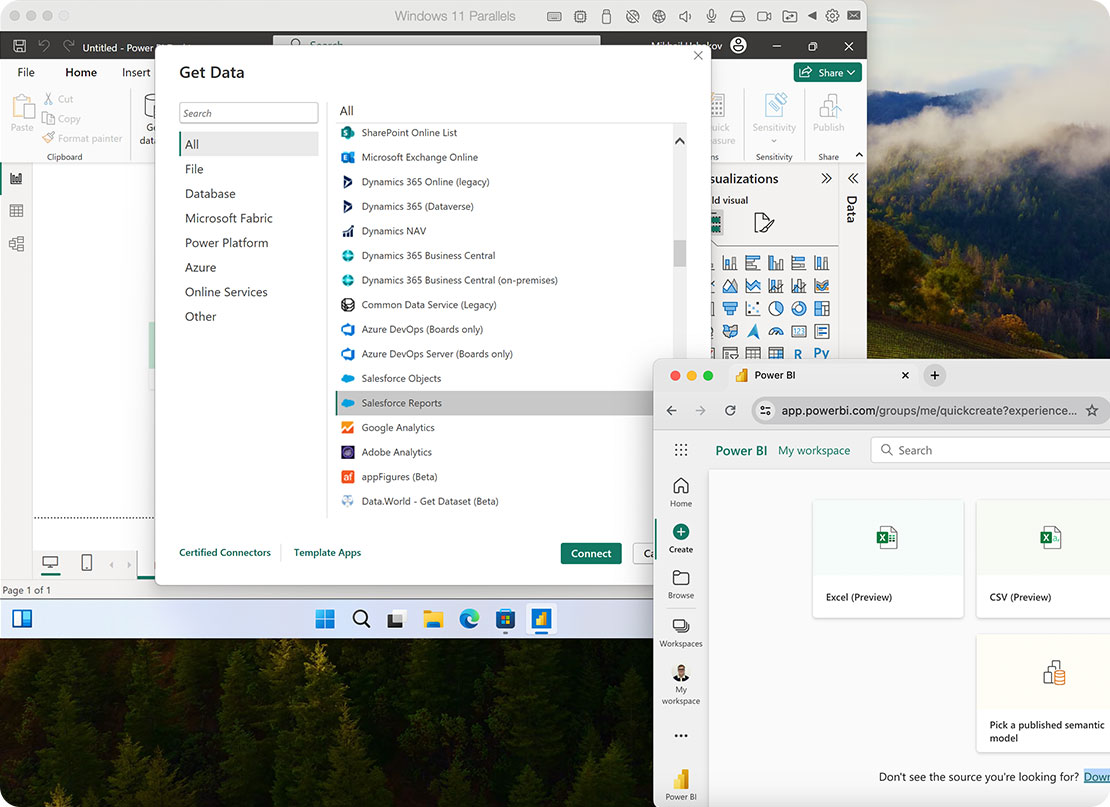
Salesforce CRM platform. The Salesforce Objects and Salesforce Reports connectors are Windows-only in Power BI Desktop. SaaS apps
Google Analytics Web analytics platform. Universal Analytics and GA4 connectors are Windows-only in Power BI Desktop. SaaS apps
Google Sheets Web spreadsheet. Power BI Desktop connector required. SaaS apps
Adobe Analytics Enterprise web analytics. Power BI Desktop connector for Windows only. SaaS apps
Marketo Marketing automation. Power BI Desktop connector for Windows only. SaaS apps
Facebook Insights Meta business platform analytics. Power BI Desktop connector required. SaaS apps
Zendesk Customer support platform. Power BI Desktop connector required. SaaS apps
Atlassian Confluence Wiki and documentation platform. Connector requires Power BI Desktop. SaaS apps
Atlassian Jira Issue tracking. Connector requires Power BI Desktop. SaaS apps
GitHub Code hosting. Power BI Desktop connector for Windows only. SaaS apps
Dropbox File storage. Power BI Desktop connector required. SaaS apps
Oracle Database Enterprise relational database. Power BI Desktop connector with full feature support. Databases
MySQL Database Open-source relational database. Power BI Desktop connector required for the full driver and feature set. Databases
IBM Db2 Enterprise database. Power BI Desktop connector required. Databases
Sybase Database Enterprise database. Power BI Desktop connector required. Databases
Teradata Database Enterprise data warehouse. Power BI Desktop connector required. Databases
SAP HANA In-memory enterprise database. Power BI Desktop connector for Windows only. SAP ecosystem
SAP BW Business Warehouse SAP data warehouse. Power BI Desktop connector required. SAP ecosystem
SAP NetWeaver SAP application platform. Power BI Desktop connector required. SAP ecosystem
SAP BusinessObjects SAP BI platform. Power BI Desktop connector required. SAP ecosystem
Apache Spark Big data processing. Power BI Desktop connector required. Big data
Apache Cassandra Distributed NoSQL database. Power BI Desktop connector required. Big data
Apache Hive Hadoop data warehouse. Power BI Desktop connector required. Big data
Hadoop File HDFS Hadoop file system. Power BI Desktop connector required. Big data
Microsoft Exchange Online Email platform. Power BI Desktop connector required. Microsoft ecosystem
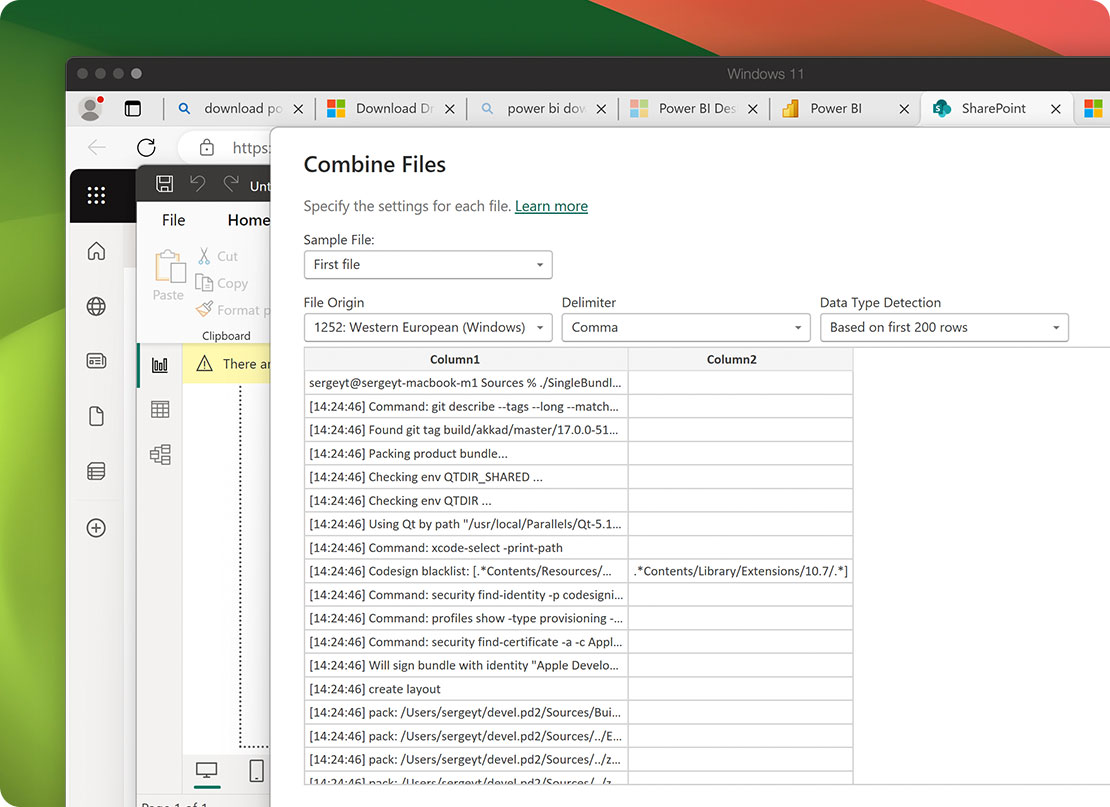
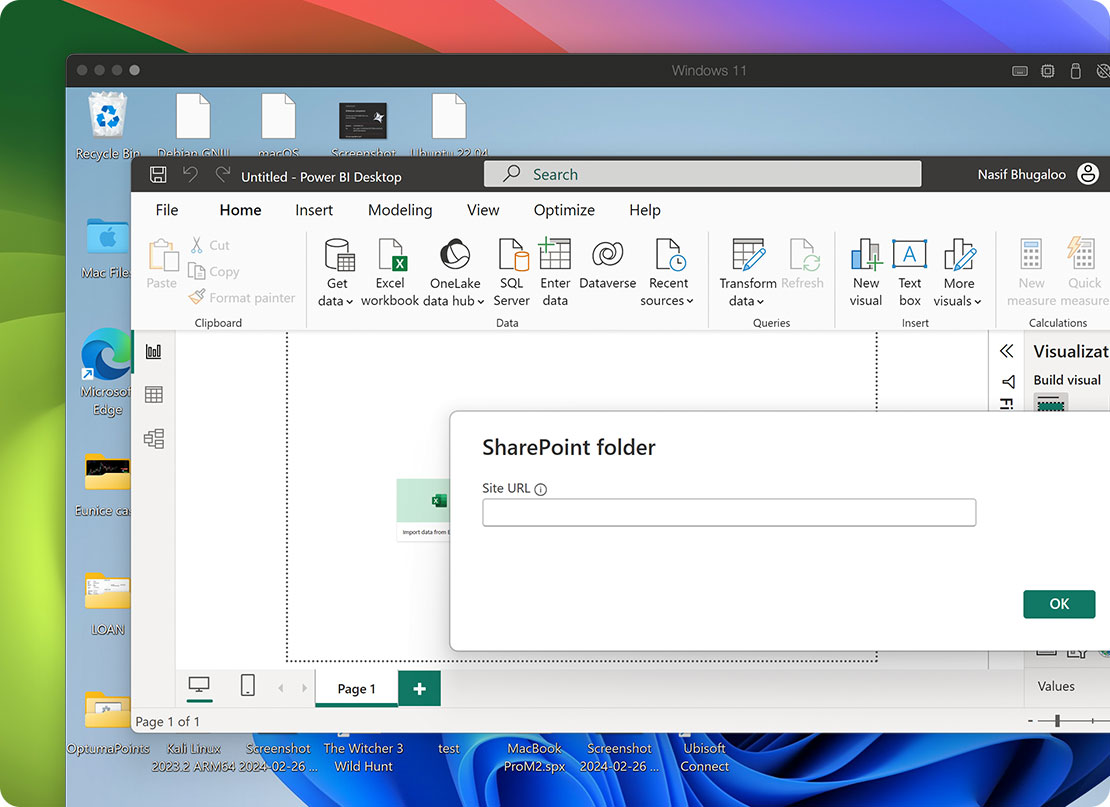
SharePoint Online SharePoint platform. List and Folder connectors with full feature support. Microsoft ecosystem
SQL Server Analysis Services Enterprise OLAP. Live Connect and import via Power BI Desktop. Microsoft ecosystem
Active Directory Identity directory. Power BI Desktop connector for Windows only. Microsoft ecosystem
OData feeds Open Data Protocol feeds. Power BI Desktop connector with full feature support. Open standards
Custom connectors via Power Query SDK User-developed connectors using the Power Query SDK and M language. Development and testing requires Power BI Desktop on Windows. Custom development

The verdict: how to actually run Power BI Desktop on a Mac

If you only view Power BI reports and dashboards

Power BI Service in a Mac browser is sufficient for viewing reports and dashboards published by colleagues. Safari, Chrome, and Edge all work. You do not need Power BI Desktop or Parallels Desktop for viewing-only workflows.

Run Power BI Desktop through Parallels Desktop if you author reports

Run Power BI Desktop through Parallels Desktop if you build reports, develop semantic models, write DAX, transform data with Power Query M, develop custom visuals, or use any of the 35 Windows-only data connectors. The Mac browser version of Power BI Service is not sufficient for these workflows. Best for BI developers, data analysts, FP&A teams, marketing analytics teams, and anyone whose primary work is in Power BI Desktop.

Learn more

Microsoft Fabric authors still need Power BI Desktop on Windows

Microsoft Fabric semantic model editing, Direct Lake on OneLake authoring, custom connector development, and most enterprise Fabric authoring scenarios still require Power BI Desktop on Windows. The Fabric web experience handles browser-based authoring for some scenarios but not the full professional toolkit. Mac users in Fabric organizations need Power BI Desktop, which means Parallels Desktop.

On Apple silicon, Parallels Desktop is the only Microsoft-authorized option

Parallels Desktop is the only solution Microsoft has authorized to run Windows 11 on Apple silicon Macs (M1 through M5, MacBook Neo). For Power BI Desktop specifically, this is the only authorized way to run the Windows-only authoring tool on a recent Mac.

Learn more

Where Power BI on Mac falls short, and what Parallels Desktop adds

Data sources and connectors
Microsoft ecosystem integration
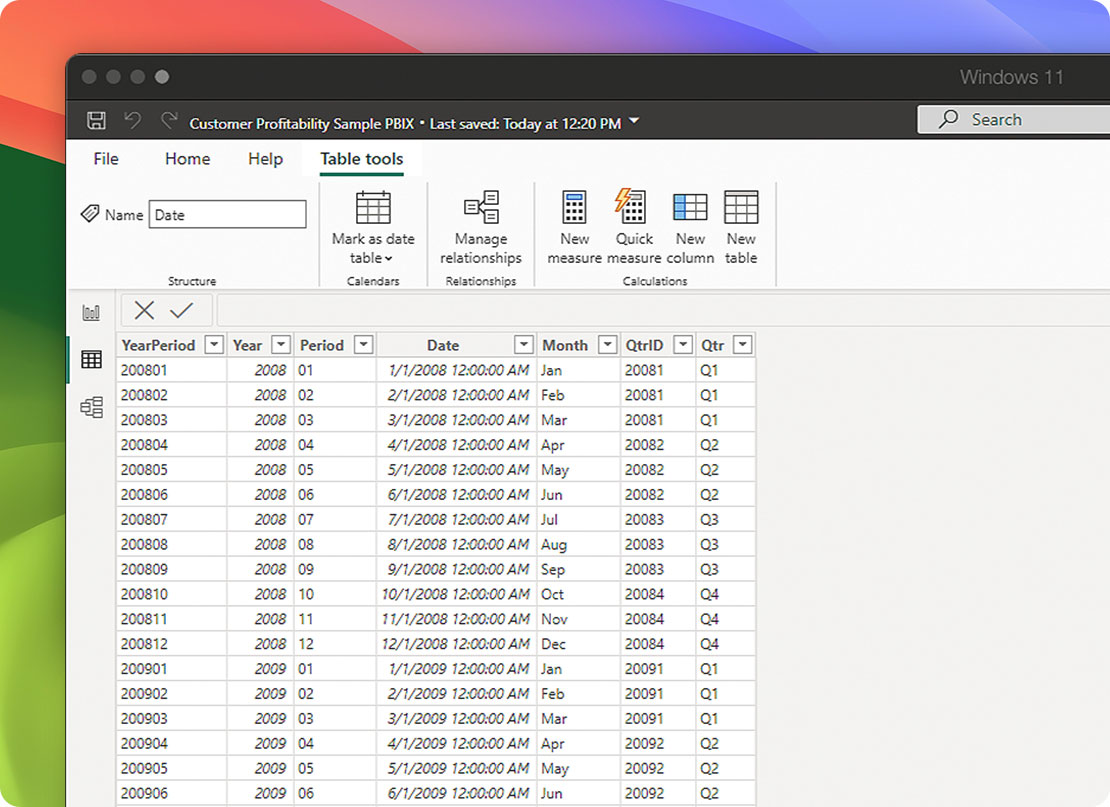
DAX, semantic modeling, and authoring
Performance and stability for large semantic models
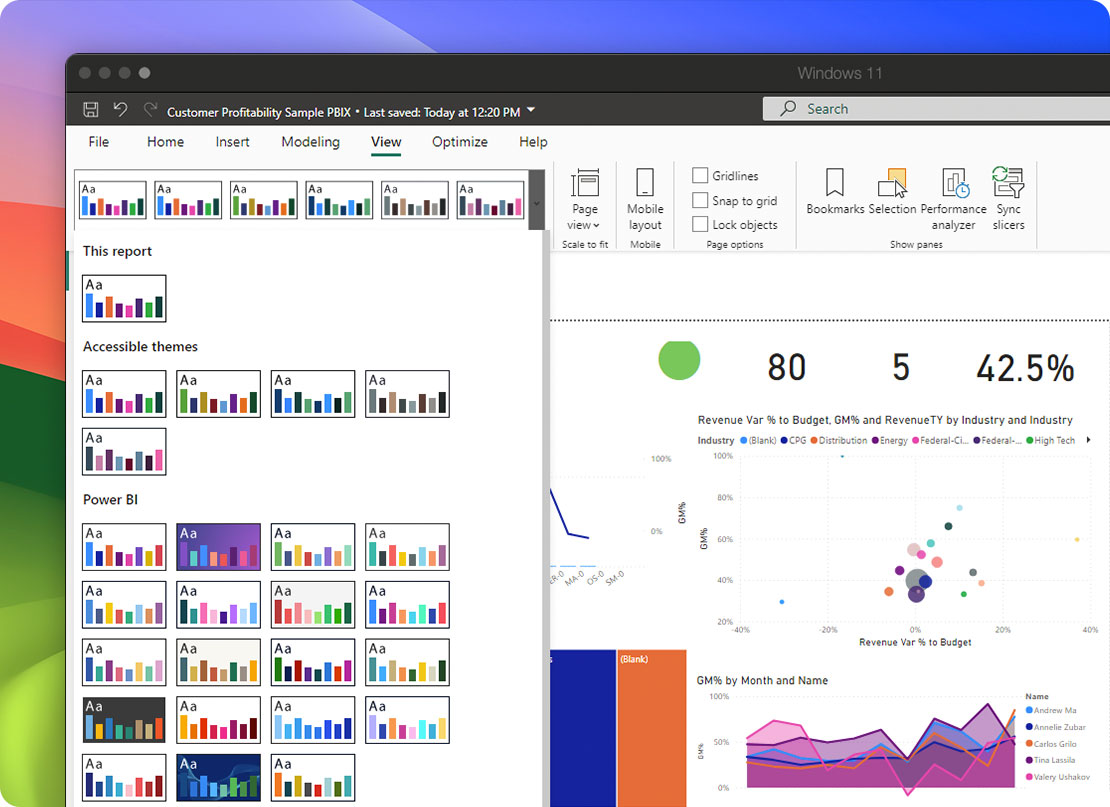
Custom visuals, themes, and report design
Parallels Desktop icon

Parallels Desktop Pro Edition

Authorized by Microsoft icon Authorized by Microsoft

Optimized for Mac M-series icon Optimized for Mac M-series

/year
Billed annually
  • Use 200,000+ Windows apps
  • Access the full range of Power BI features
  • No need for a second Windows machine
  • Switch between macOS and Windows effortlessly

How to set up Power BI Desktop on your Mac with Parallels Desktop

Get started with Parallels Desktop and start maximizing the potential of your Mac to run Power BI and more.

Download Parallels Desktop icon

Download Parallels Desktop Pro Edition

Download Parallels Desktop Pro Edition. Pro Edition is recommended for Power BI Desktop because it supports higher VM memory allocation (up to 128 GB) and dedicated CPU cores—both of which become important when working with large semantic models.

Install Windows icon

Install Windows 11 with at least 16 GB RAM allocated to the VM

Parallels Desktop downloads and installs Windows 11 automatically on Apple silicon Macs. For Power BI Desktop, allocate at least 16 GB RAM to the Windows VM (32 GB recommended for semantic models over 1 GB). Allocate at least 4 dedicated CPU cores. These allocations can be changed later in VM settings.

*Windows license required

Launch a virtual machine icon

Install Power BI Desktop inside Windows

Open the Edge browser inside Windows and download Power BI Desktop from the Microsoft Store or from powerbi.microsoft.com. Run the installer. Sign in with the Microsoft account that holds your Power BI license (Free, Pro, or Premium Per User).

Launch a virtual machine icon

Enable Coherence mode so Power BI Desktop behaves like a native Mac app

Switch your VM to Coherence mode. Power BI Desktop will appear in your Mac dock, Cmd-Tab switcher, and Mission Control like any other Mac app. Pin it to your dock for one-click access. The Windows desktop disappears; only Power BI Desktop is visible.

Launch a virtual machine icon

Connect to Fabric workspaces, OneLake, and your data sources

Inside Power BI Desktop, sign in with your Microsoft work or school account to access your Fabric workspaces and OneLake catalog. From the Get Data ribbon, connect to your data sources: Snowflake, Salesforce, BigQuery, SAP HANA, or any of the 35 Windows-only connectors. The connector behavior matches what you would see on a native Windows machine.

Buy now
Try free Free for 14-days

Who runs Power BI Desktop on Mac with Parallels Desktop

BI developers and report authors

BI developers building semantic models, authoring DAX measures, designing reports, and developing custom visuals depend on Power BI Desktop. Most ship reports daily and need the full Power Query M editor, calculation groups, time intelligence, and field parameters. Mac-using BI developers run Power BI Desktop through Parallels Desktop to keep their full authoring stack on Mac hardware.

Data analysts in finance, ops, and FP&A

Data analysts in finance and operations roles use Power BI Desktop for self-service BI: pulling data from Snowflake, BigQuery, Salesforce, and SAP, transforming with Power Query, and building dashboards for leadership. The 35 Windows-only connectors are the reason these analysts cannot just use Power BI Service. Running Power BI Desktop through Parallels Desktop on Mac gives analysts the full connector and authoring stack.

Marketing analytics and growth teams

Marketing analysts depend on Windows-only Power BI connectors for Google Analytics, Adobe Analytics, Facebook, Marketo, Salesforce, and Google Sheets. The Mac browser version of Power BI Service does not include most of these. Running Power BI Desktop through Parallels Desktop is the standard path for Mac-based marketing analytics teams.

Microsoft Fabric data engineers and analytics engineers

Fabric professionals authoring semantic models, building Direct Lake on OneLake datasets, developing custom connectors, and editing Fabric workspaces use Power BI Desktop as the primary authoring tool. The Fabric web experience does not replace Desktop for professional work. Parallels Desktop on Mac is the standard path for Mac-using Fabric teams.

Enterprise IT teams and BI Centers of Excellence

IT teams standardizing on Mac hardware while supporting Power BI workflows across the organization need a managed path to Power BI Desktop. Parallels Desktop Business Edition provides centralized VM management, license compliance, and Microsoft authorization for Windows 11 on Apple silicon. BI Centers of Excellence can roll out Power BI Desktop to Mac users without procuring Windows hardware.

Mac switchers with existing Power BI workflows

Users switching from a Windows PC to Mac who already work daily in Power BI Desktop cannot abandon their existing reports, semantic models, and connector configurations. Parallels Desktop runs the full Windows version of Power BI Desktop on Mac with no migration required; your existing PBIX files, semantic models, and Microsoft account sign-in continue to work as they did on the Windows PC.

Using Power BI on Mac with Parallels Desktop FAQs

See what you are capable of with Parallels

Outlook icon

200,000+ apps and integrations

Run all your favorite Windows apps on Mac.

See all our apps
Excel icon

Run Excel on Mac

Run the Windows version of Excel with Parallels Desktop.

Learn more about Excel
Office icon

Run Office365 on Mac

Experience the full capability of Office 365 with Parallels Desktop.

Learn more about Office365

Run the Windows-only Power BI Desktop on your Mac