




Download Parallels Desktop for Mac
Download the official Parallels Desktop installer and run Windows on your Mac without rebooting.
Parallels Desktop lets you open Windows applications alongside your Mac apps on supported Apple silicon and Intel-based Macs. Start with a free 14-day trial.
Already have a license? Sign in to download.
How to download and install Parallels Desktop
 01
01
Download the installer
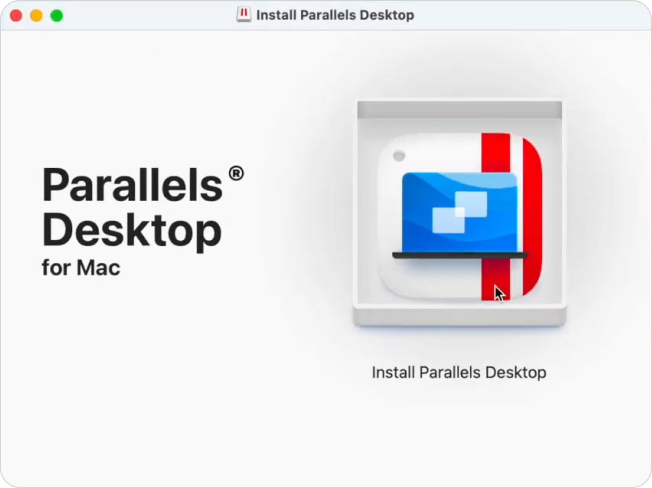
Download Parallels Desktop directly from parallels.com, then open the installer on your Mac.
 02
02
Install Windows or another operating system
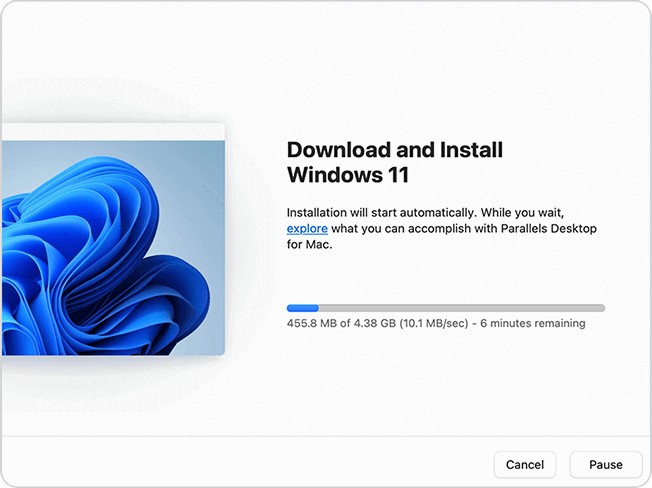
Follow the setup instructions to create a virtual machine. Parallels Desktop can download Windows 11 directly from Microsoft during setup, or you can install Windows, Linux, or another supported operating system from an image file.
 03
03
Open your Windows apps
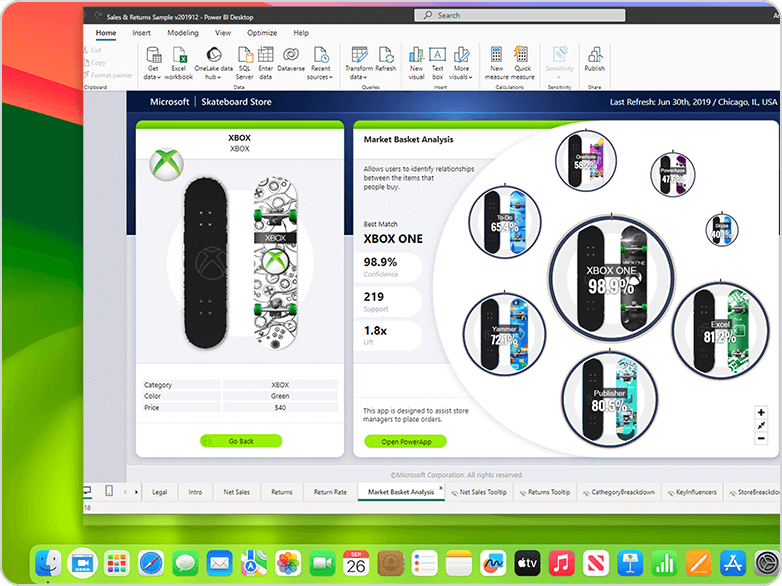
Access Windows applications, advanced development tools, and high-performance virtual machines.
Experience the power of virtualization made simple—all free for 14 days!
Why download from Parallels instead of a torrent?
The official download gives you an authentic copy of Parallels Desktop from a source you can verify.
Files shared through torrent sites or other unofficial sources may have been altered. They may fail to activate, miss product updates, or contain software you did not agree to install. Parallels cannot verify or support modified copies.
The free trial available on this page runs for 14 days. It gives you time to install Parallels Desktop, set up a virtual machine, and check whether the Windows applications you need work on your Mac.
Purchases made directly through the Parallels online store may qualify for a full refund within 30 days of the initial purchase. Renewals and purchases from other retailers are subject to different terms.
Which download is right for your Mac?
The latest installer is the right choice for most people. It detects your Mac hardware and installs the appropriate Parallels Desktop build.
| Download | Format | Recommended for |
| Latest Parallels Desktop automatic installer | DMG | Most Apple silicon Mac users |
| Parallels Desktop full installation image | DMG | Offline installation, managed deployment, or limited internet access |
| Parallels Desktop 19-20 (legacy versions) | DMG | For users with a Parallels Desktop 19 or 20 license |
| Visual Studio Code Extension | Extension | Developers who manage virtual machines from Visual Studio Code |
| Parallels DevOps Service | Package | Teams managing automated virtual machine workflows |
Before installing, review the current system requirements and supported guest operating systems.
Links:
Apple silicon and Intel Mac support
Parallels Desktop supports both Apple silicon and Intel-based Macs, but the operating systems they can run are not always the same.
Apple silicon Macs
Mac computers with Apple silicon, including M1, M2, M3, M4, and M5 chips, run Arm-based guest operating systems. For Windows, Parallels Desktop supports Arm versions of Windows 11 Pro and Windows 11 Enterprise. Windows 11 on Arm can run many x64 and x86 Windows applications through Microsoft’s built-in emulation. Some applications, games, hardware accessories, and features that rely on nested virtualization or specific drivers may not be supported.
Intel-based Macs
Intel Macs can run supported x86 versions of Windows, Linux, and macOS. Available options depend on your Mac model, macOS version, and the Parallels Desktop release you install.
Link: View supported operating systems
What can you do with Windows on a Mac?
Many people download Parallels Desktop because a program they need is available only for Windows or offers features that are missing from its Mac version.
Common uses include:
- Running business applications such as Microsoft Access, Visio, Project, Power BI Desktop, and QuickBooks
- Using Windows-based engineering, design, GIS, and technical software
- Testing websites, applications, and services in Windows or Linux
- Opening older files or using company software built for Windows
- Running a second macOS or Linux environment for testing and development
Application compatibility depends on your Mac, the guest operating system, the application’s system requirements, and any hardware or graphics features it uses. Check the application vendor’s requirements before relying on Parallels Desktop for a specific workload.
Use Windows and macOS side by side
Parallels Desktop runs Windows inside macOS, so switching systems does not require a restart.
Coherence Mode can hide the Windows desktop and display supported Windows applications alongside Mac applications. Files, folders, clipboard content, and connected devices can also be shared between operating systems, depending on your virtual machine settings.
Prefer a separate Windows workspace? Run the virtual machine in a window or full-screen view instead.
Why choose Parallels Desktop?
Several tools can run Windows software on a Mac. They do not all work in the same way.
- Guided Windows 11 installation: Parallels Desktop can download and install Windows 11 during virtual machine setup. You can also provide your own supported installation image.
- Windows and macOS at the same time: Unlike a dual-boot setup, Parallels Desktop does not require you to restart your Mac each time you switch between operating systems.
- Integration with macOS: Windows applications can appear in the Mac Dock and work with supported macOS folders, keyboard shortcuts, clipboard functions, and devices.
- Support for Apple silicon and Intel Macs: The current release supports compatible Macs with Apple silicon. Parallels Desktop 26 supports compatible Intel-based models. Available guest operating systems vary by processor and product version.
- Product updates and support: Subscribers receive updates while their subscription remains active. Available support channels depend on the purchased edition and support policy.
How Parallels Desktop compares with other options
Boot Camp is available only on supported Intel-based Macs. Apple silicon Macs do not support Boot Camp. Boot Camp runs Windows directly on the Mac after a restart. Parallels Desktop uses a virtual machine, allowing Windows and macOS to run at the same time.
VMware Fusion is another virtualization product for Mac. Setup, supported features, licensing, graphics capabilities, and commercial support differ by product and version. Review the current documentation for both products against the applications you plan to run.
UTM is an open-source virtualization and emulation tool. It may suit users who are comfortable configuring virtual machines manually. Graphics support, Windows integration, setup, and technical support differ from Parallels Desktop.
CrossOver uses a compatibility layer rather than running a complete Windows virtual machine. It may work well for supported individual applications, but compatibility varies by app. Parallels Desktop runs a supported guest operating system, which is useful when you need a full Windows environment.
Included with your download
- Free 14-day trial: Install Parallels Desktop and evaluate it for 14 days before purchasing. A Parallels account is required to register and activate the trial.
- 30-day return period for qualifying purchases: Initial purchases made through the Parallels online store may be returned within 30 days. Renewals are excluded, and purchases made through another store follow that seller’s return policy.
- Support options: Parallels provides product documentation, troubleshooting articles, and customer support. Available support channels and response periods depend on your license or subscription.
- Parallels Toolbox: Eligible Parallels Desktop purchases include access to Parallels Toolbox, a collection of utilities for common Mac and Windows tasks. Check the selected edition and current offer for availability.
Troubleshooting: Failed Downloads and Installation Errors
The download doesn’t start
Check your browser’s download permissions and make sure downloads from parallels.com are allowed If you’re using Safari. Open Safari > Settings > Websites > Downloads and verify the site isn’t being blocked. If the problem continues, try downloading the installer with another browser.
“Parallels Desktop can’t be opened”
This message is generated by macOS Gatekeeper. Open System Settings > Privacy & Security, scroll to the security section, select Open Anyway for Parallels Desktop. Then relaunch the installer.
Installation stalls or fails
Make sure your Mac has at least 10 GB of free disk space before starting the installation. Restart your Mac, download a fresh copy of the installer, and try again. Avoid interrupting the installation while Windows or Parallels Desktop is being configured.
Windows 11 download is taking a long time
The Windows 11 installation package is several gigabytes in size, so download time depends on your internet connection. For the best experience, use a reliable Wi-Fi or wired network and keep your Mac connected to power during installation.
Need more help?
If your issue isn’t covered here, visit Parallels Desktop support for troubleshooting articles, documentation, and live support options.
FAQ
Yes. You can download the installer and activate a free 14-day trial. Continued use after the trial requires a valid Parallels Desktop license or subscription.
Yes. The official installer is available directly from this page. A torrent is not required.
No. Parallels cannot verify the authenticity or security of copies distributed through torrent sites or other unofficial sources. Modified software may fail to activate, may not receive updates, and may contain unwanted or harmful code. Use the official download from parallels.com.
Yes. The current version supports compatible Apple silicon Macs. These Macs run Arm-based guest operating systems, including supported editions of Windows 11 on Arm. Check the current system requirements before downloading because support also depends on the macOS version installed on your Mac.
Yes. Parallels Desktop 26 supports compatible Intel-based Macs. The installer and available guest operating systems depend on your macOS version and hardware.
No. A Parallels Desktop license activates Parallels Desktop only. Windows is a separate Microsoft product. You can install Windows 11 during setup without entering a product key, but a valid Windows license is required to activate Windows and use all of its features.
Windows 11 on Arm. Microsoft authorizes Windows 11 Pro and Windows 11 Enterprise on Arm for use with Parallels Desktop on Apple silicon Macs. A separate Windows license is required for each Windows instance.
Yes. During setup, Parallels Desktop can download Windows 11 from Microsoft and create the virtual machine. You can also install Windows from a compatible image file.
No. Windows runs in a virtual machine while macOS remains open. You can move between Mac and Windows applications without rebooting.
No. No virtualization product can guarantee compatibility with every application. Windows 11 on Arm can run many Arm, x64, and x86 applications, but some software may not work because of driver requirements, graphics dependencies, anti-cheat systems, hardware integrations, or nested virtualization requirements. Check the software publisher’s requirements and use the free trial to test important applications.
Yes. Some Windows games can run in Parallels Desktop, but compatibility varies. Games that require DirectX 12, specific graphics features, kernel-level anti-cheat software, or unsupported hardware may not work. Review tested game information and system requirements before purchasing for a particular title.
Yes. Microsoft identifies specified Parallels Desktop versions as authorized solutions for running Arm versions of Windows 11 Pro and Windows 11 Enterprise in a virtual environment on supported Apple silicon Macs.
Yes. You must create or sign in to a Parallels account to register and activate the 14-day trial.
Not to download the installer. Downloading Parallels Desktop does not require a purchase.
Yes. Download the installer again and sign in to your Parallels account. You can activate a compatible version using a valid subscription or license key.
You can download an older version directly from Parallels. Customers with licenses for previous releases can use the previous-version download links or sign in to their Parallels account to find available products and license information.
First, check whether your browser allows downloads from parallels.com. If the problem continues, try another browser or download a fresh installer. For installation errors, confirm that your Mac meets the current system requirements and has enough available storage. Parallels Support provides additional troubleshooting instructions.