QuickBooks Desktop on Mac: Keep the Full Windows Version Running Through 2027

QuickBooks Desktop on Mac: Keep the Full Windows Version Running Through 2027

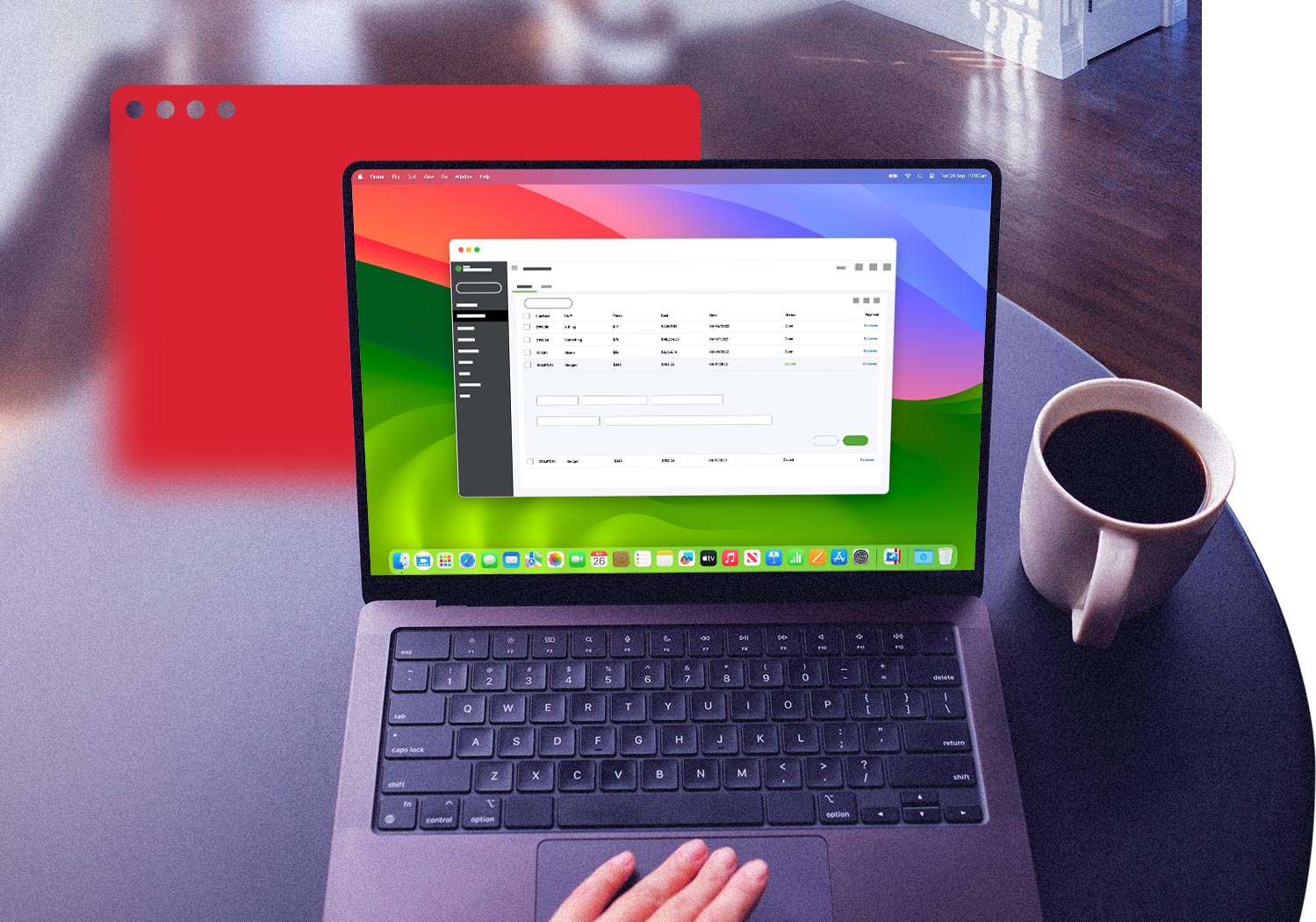
Intuit stopped selling QuickBooks Desktop Mac Plus to new U.S. customers on September 30, 2024. Support for Desktop 2023 ends May 31, 2026, and support for Desktop 2024 ends September 30, 2027. With Parallels Desktop, you can run the full Windows version of QuickBooks Desktop—Pro, Premier, and Enterprise—on Mac. You can keep working on your Mac using the Windows version of Office, even after support for the Mac version ends.

Only with a 1-year subscription.

Microsoft-authorized for Windows 11 on Apple silicon (M1-M5, MacBook Neo).

Intuit is phasing out QuickBooks Desktop for Mac. Here is what that means and how Parallels Desktop keeps your workflow going.

In September 2024, Intuit stopped selling new QuickBooks Desktop subscriptions to U.S. customers. QuickBooks Desktop 2024 is now the final non-Enterprise release: there won’t be 2025, 2026, or 2027 versions.

If you’re using QuickBooks on a Mac, the real question is what comes next—especially as support timelines and compatibility become more limited.

QuickBooks Desktop support calendar:What ends and when

Version Support end date What stops working after end date
QuickBooks Desktop 2022 May 31, 2025 (already expired) Core features still function, but connected services stop working. Payroll no longer calculates taxes, bank feeds disconnect, payment processing ends, and security updates are no longer provided.
QuickBooks Desktop 2023 May 31, 2026 The same service shutdown applies: payroll, bank feeds, payment processing, and security updates all stop. If you’re still on 2023, this is the point where planning your next step becomes urgent.
QuickBooks Desktop 2024 September 30, 2027 This is the final Pro, Premier, and Mac release. After this date, all non-Enterprise Desktop versions lose connected services. The software still runs locally, but key functionality—like payroll and bank feeds—no longer works.
QuickBooks Desktop Enterprise Ongoing, separate product Enterprise continues to be sold and supported with annual updates. For businesses that need to stay on QuickBooks Desktop beyond 2027, this is the long-term option.

How to set up QuickBooks Desktop on your Mac with Parallels Desktop

Download and install Parallels Desktop  icon

Download and install Parallels Desktop

Download Parallels Desktop and run the installer. On both Apple silicon and Intel Macs, setup typically takes just a few minutes.

Install Windows 11 automatically  icon

Install Windows 11 automatically

Parallels Desktop downloads and installs Windows 11 automatically on Apple silicon Macs. No ISO required. You’ll need a Windows license to activate it, but you can start using Windows in trial mode right away.

Install QuickBooks Desktop inside Windows

Install QuickBooks Desktop inside Windows

Open your preferred browser in Windows and sign in to your Intuit account. From there, download the QuickBooks Desktop installer through Intuit's Customer Account Management Portal (CAMPs). Enter your license and product numbers, run the installer, and activate. This works for Pro, Premier, and Enterprise editions. If you need the Enterprise edition, purchase the subscription from Intuit directly and install it the same way.

Migrate your Mac QuickBooks file (if you’re switching from Mac)

Migrate your Mac QuickBooks file (if you’re switching from Mac)

If you’re coming from the Mac version, you’ll need to convert your file. In Mac QuickBooks, go to File > Backup to Windows. Move that backup file into Windows through Parallels Desktop's shared folders. Then, in Windows QuickBooks, choose File > Open or Restore Company > Restore a backup copy. Larger files may take a few minutes to convert.

Enable Coherence mode for a native Mac experience

Enable Coherence mode for a native Mac experience

Switch to Coherence mode to make QuickBooks behave like a Mac app. It shows up in your Mac dock, works with Cmd-Tab, and integrates with Mission Control. You can pin it like any other app and launch it in one click.

Connect your printers, scanners, and services

Connect your printers, scanners, and services

Your Mac’s printers and scanners are shared automatically, so invoices and reports print as expected. Bank feeds, credit card processing, and payroll services work the same way they do on a Windows PC. If you use add-ons (Fishbowl, SOS Inventory, Method CRM, Bill.com Desktop sync), inventory tools or CRM integrations, install them inside Windows QuickBooks just as you would on a standard Windows setup.

*Windows and QuickBooks licenses required.

QuickBooks Desktop for Mac vs. Windows

Feature QuickBooks Desktop for Mac QuickBooks Desktop for Windows (via Parallels Desktop)
Currently sold by Intuit No: sales ended September 30, 2024 Enterprise still sold; Pro/Premier still renewable for existing subscribers
Integrated payroll Not Available Available (Enhanced Payroll, Assisted Payroll)
Multicurrency Not supported Supported
Advanced inventory Basic only Full support (FIFO/LIFO, barcodes, multi-location, serial numbers)
Industry editions General version only Contractor, Manufacturing & Wholesale, Nonprofit, Professional Services, Retail, Premier
Built-in reports Limited 150+ reports, including industry-specific
Third-party add-on ecosystem Limited Broad Ecosystem (inventory, CRM, bill pay, tax tools, and more)
Multi-user support Limited Up to 40 users (Enterprise)
File compatibility with Windows QB Requires conversion Native (same file format)
Enterprise edition available Not available Available and actively supported
Support horizon Final version (2024); support ends September 30, 2027 Enterprise continues; Pro/Premier supported through 2027

Where QuickBooks Desktop for Mac falls short

payroll icon

QuickBooks Desktop for Mac has no built-in payroll

The Mac version doesn’t include integrated payroll. Most users end up exporting data to a third-party provider or managing payroll outside of QuickBooks entirely. By comparison, the Windows version includes built-in payroll (Enhanced Payroll and Assisted Payroll). Running that version through Parallels Desktop on a Mac restores a fully integrated payroll workflow.

multicurrency icon

Multicurrency is only available in the Windows version

If you need to invoice, receive payments, or track transactions in multiple currencies, the Mac version won’t support it. This usually becomes an issue for businesses working with international customers, suppliers, or accounts. The Windows QuickBooks Desktop through Parallels Desktop includes multicurrency support, which is why many teams switch once this becomes a requirement.

advanced inventory icon

Advanced inventory management is Windows-only

The Mac version supports based inventory tracking, but more advanced features aren’t available. Things like FIFO and LIFO costing methods, barcode scanning, advanced assembly tracking, multiple location tracking, and serial number tracking, are only included in QuickBooks Desktop Premier and Enterprise for Windows. For manufacturers, wholesalers, retailers managing complex inventory workflows, this is often the point where the Mac version starts to feel limiting.

multi industry icon

Industry-specific editions are only available on Windows

QuickBooks Desktop for Windows includes multiple industry editions: Contractor, Manufacturing & Wholesale, Nonprofit, Professional Services, Retail, and a general-business Premier. Each one industry-specific reports, chart of accounts templates, and workflows. The Mac version, by contrast, is limited to a single general-purpose edition. If your work depends on industry-specific features—like job costing for construction or fund tracking for nonprofits—you’ll need the Windows version.

interchangeable icon

Mac and Windows QuickBooks files aren’t fully interchangeable

QuickBooks Desktop for Mac uses a different file format than the Windows version. Moving a file between them requires a conversion step, which can be time-consuming and doesn’t always carry everything over cleanly. This tends to come up when working with accountants, bookkeepers, or clients who use Windows Quickbooks. Running Windows QuickBooks through Parallels Desktop from the start avoids that issue as your files stay in the same format.

add-on icon

Most third-party QuickBooks Desktop add-ons are built for Windows

The broader QuickBooks Desktop ecosystem of inventory tools, CRM integrations, time-tracking, and industry-specific apps, has historically been built around the Windows version. If your workflow depends on any of these integrations, you’ll likely run into limitations on Mac. The examples below highlight some of the most common cases.

Windows-only QuickBooks Desktop add-ons, and how they work on Mac

Add-on 

What it does and why it's Windows-first 

Who needs it 

Fishbowl Inventory 

Inventory and manufacturing management with support for bills of materials, multi-location stock, and complex assembly workflows.  

Manufacturers, wholesalers, product-based businesses with complex inventory 

SOS Inventory 

Adds serial number tracking, lot tracking, work orders, and pick/pack/ship workflows beyond native QuickBooks inventory. 

Businesses that need more advanced inventory control 

Bill.com Desktop Sync 

Handles bill pay, ACH transactions, and accounts payable automation with sync to QuickBooks Desktop. The web app is cross-platform. but the Desktop sync is tied to Windows. 

SMB accounting departments, bookkeepers, finance teams, accounting departments 

QuickBooks Time (TSheets) 

Time tracking with GPS and scheduling that syncs with QuickBooks Desktop.  

Construction, field services, hourly teams 

Method CRM 

CRM platform with two-way sync for customer data, estimates, and invoices. 

Service businesses, contractors, B2B sales teams 

Knowify for QuickBooks 

Project management and job costing for construction workflows, tightly integrated with QuickBooks. 

Contractors, construction firms, trade-specific businesses 

Avalara AvaTax for QuickBooks Desktop 

Automates sales tax calculation and filing across jurisdictions with real-time rate updates.  

Multi-state retailers, e-commerce businesses 

ADP RUN integration 

Sync payroll data into QuickBooks Desktop for journal entries and reporting.  

Businesses using ADP for payroll, often moving off QuickBooks payroll 

Industry-vertical apps (various) 

Vertical tools (e.g., dental practice management, church accounting, restaurant POS, legal billing) that integrate with QuickBooks Desktop. Most were originally built for Windows environments. 

Verticals include dental, church/nonprofit, restaurant, legal, medical 

Trusted by over 7 million Mac users worldwide

"It connects my mac to the QuickBooks software that will only run on Windows. I use QB all the time, so this is very important software for me."

Parallels Desktop Customer

"I highly recommend Parallels Desktop because it allows for easy access to all systems that are not typically available on Mac computers. This added functionality can greatly improve productivity and make tasks more efficient. Additionally, it is user-friendly and intuitive, making it a valuable tool for both personal and professional use. I needed to access QuickBooks desktop for my job, which is not available on a cloud system. Since I already use a MacBook, I didn't want to switch to a Windows computer just for this one program. Plus, I prefer the features and convenience of a MacBook over a Windows computer."

Almni Manlangit Calamba, CFO

"I had been using VMware Fusion for many years to run QuickBooks on my Mac. With all the press regarding the VMware I purchased Parallels Desktop. Much easier and smoother than Fusion. Sorry I did not make the change sooner."

CFO

QuickBooks Desktop editions: which one runs on Mac via Parallels Desktop

Edition Who it's for and key features Available on Mac via Parallels Desktop
QuickBooks Desktop Pro Plus Up to 3 users. Covers core accounting tasks like invoicing, expense tracking, reporting, and basic inventory. Best suited for small businesses with straightforward needs. New U.S. subscriptions ended September 30, 2024, but existing users can renew through September 2027. Yes, via Parallels Desktop
QuickBooks Desktop Premier Plus Up to 5 users. Builds on Pro with industry-specific reporting and forecasting tools. Available in general business edition plus several industry-focusededitions (below). Yes, via Parallels Desktop
QuickBooks Desktop Contractor Designed for construction and contracting businesses. Includes job costing, change orders, progress invoicing, time tracking, and subcontractor management. Often used alongside tools like Knowify and related construction add-ons. Yes, via Parallels Desktop
QuickBooks Desktop Manufacturing & Wholesale Built for manufacturers and wholesalers. Supports bills of materials, sales orders, backorder tracking, and more advanced inventory workflows. Commonly paired with Fishbowl or SOS Inventory. Yes, via Parallels Desktop
QuickBooks Desktop Nonprofit Tailored for nonprofits and churches. Includes restricted fund tracking, donor management, grant reporting, and nonprofit chart of accounts. Often used by volunteer and part-time finance teams. Yes, via Parallels Desktop
QuickBooks Desktop Professional Services For law firms, consultancies, dental practices, and agencies. Focuses on billable time tracking, project profitability, and retainer-based billing. Yes, via Parallels Desktop
QuickBooks Desktop Retail Designed for retail businesses. Includes sales tax by location, vendor-based inventory tracking, cash drawer reconciliation, and multi-store reporting. Integrates with POS systems and tools like Avalara AvaTax. Yes, via Parallels Desktop
QuickBooks Desktop Enterprise Up to 40 users. Includes advanced inventory (FIFO/LIFO, barcoding, multi-location, serial numbers), advanced reporting, and pricing controls. Industry editions are included. This is the only Desktop version Intuit continues to sell and support for new customers, making it the long-term option beyond 2027. Yes: via Parallels Desktop, recommended for mid-market

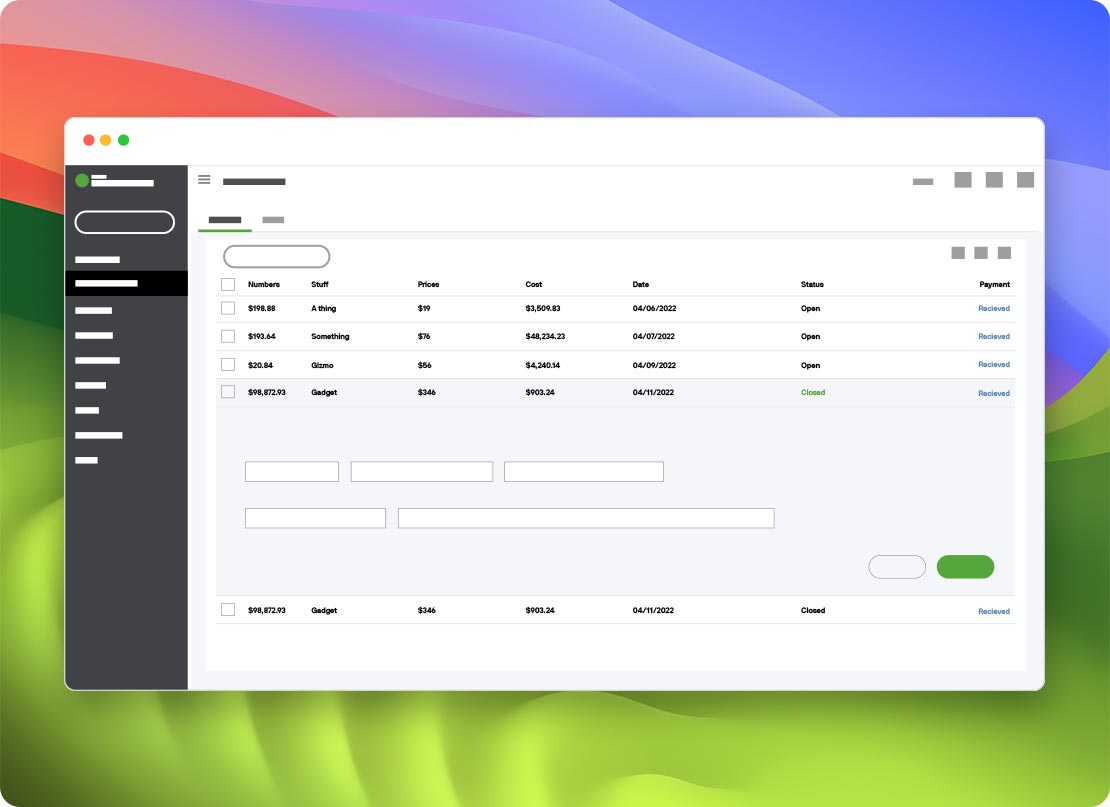
The full Windows QuickBooks Desktop feature set on Mac

Access the breadth of QuickBooks features designed to streamline your accounting tasks, improve financial management, and make informed decisions—all from your Mac!

Financial management
Reporting and analytics
Inventory and job costing
Sales and customer management
Multi-user access and integration

The verdict: how to keep running QuickBooks Desktop on Mac

If you’re already running QuickBooks Desktop for Mac

If you have an active QuickBooks Desktop Mac Plus subscription, you can continue renewing it for now. Support for Desktop 2023 ends May 31, 2026. Desktop 2024—the final Mac version— is supported through September 30, 2027. After that, key services like payroll, bank feeds, and security updates stop working. At that point, keeping your existing setup becomes difficult. Moving to the Windows version through Parallels Desktop on your Mac lets you continue using QuickBooks Desktop beyond that timeline—while also adding features the Mac version never included, like industry editions, payroll, multicurrency, and advanced inventory.

If your business is outgrowing what Mac QuickBooks supports

For many teams, the limits show up as the business grows. Adding international customers brings multicurrency requirements. Hiring introduces payroll needs. Expanding operations adds inventory complexity or industry-specific workflows. The Windows editions—Pro, Premier, and Enterprise—cover those cases. Running them on your Mac keeps everything in one place without switching devices.

Learn more

If you’re using Apple silicon

On Apple silicon Macs (M1 through M5, MacBook Neo), Parallels Desktop is the only solution Microsoft has authorized to run Windows 11. For QuickBooks, that authorization means running the full Windows version of QuickBooks Desktop, Pro, Premier, or Enterprise, on your Mac hardware through a licensed, Microsoft-authorized Windows edition.

Learn more
Parallels Desktop icon

Parallels Desktop for Mac

Authorized by Microsoft icon Authorized by Microsoft

Optimized for Mac M-series icon Optimized for Mac M-series

/year
Billed annually
  • Use 200,000+ Windows apps
  • Access the full range of QuickBooks features
  • No need for a second Windows machine
  • Switch between macOS and Windows effortlessly

Who runs Windows QuickBooks Desktop on Mac with Parallels Desktop

Accountants, CPAs, and QuickBooks ProAdvisors

Accountants serving clients on Windows QuickBooks need full file parity: receiving client files, working in them, and returning them without conversion errors. ProAdvisors supporting clients across industry editions (Contractor, Nonprofit, Manufacturing) need access to editions that do not exist on Mac. Using the Windows version on a Mac keeps everything.

Small business owners on Mac hardware

Many small business owners prefer Mac but rely on features only available in the Windows version—like multicurrency, integrated payroll, or advanced inventory. Running the Windows version through Parallels Desktop lets them keep their existing workflow without adding another device.

CFOs and controllers at growing businesses

Finance leaders at mid-market businesses often depend on QuickBooks Desktop Enterprise for its 40-user capacity, advanced reporting, and industry-specific editions. Standardizing Mac hardware doesn’t mean giving that up. Enterprise runs the same way, with full support for Windows on Apple silicon.

Bookkeepers managing multiple clients

Bookkeepers managing multiple client QuickBooks files often need to match whichever editions their clients use, and most clients are on Windows. Running Windows QuickBooks Desktop through Parallels Desktop makes it easier for Mac-based bookkeepers to open and manage those files directly—without converting between formats or losing data.

Nonprofit and church administrators

The Nonprofit Edition is only available in the Windows version and includes features like restricted fund tracking, grant reporting, and nonprofit chart of accounts templates. Many volunteer or part-time administrators run it on personal Macs by running the Windows QuickBooks Desktop version through Parallels Desktop.

QuickBooks ProAdvisors and certified public accountants

Certified QuickBooks ProAdvisors often work across multiple QuickBooks editions: Pro, Premier, Enterprise, and industry-specific editions. Many prefer to work on Mac hardware but still need to open and work in Windows-based client files. Parallels Desktop makes that straightforward, including access to industry editions that aren’t available on Mac.

Construction and contracting teams

Construction workflows using QuickBooks Desktop Contractor edition relyo n job costing, change order tracking, progress invoicing, subcontractor 1099 workflows, and certified payroll reporting. These are typically paired with tools like Knowify or Buildertrend, which integrate on the Windows side.

Manufacturers, assemblers, and wholesale distributors

Manufacturing workflows running QuickBooks Desktop Manufacturing & Wholesale edition depend on bills of materials, assembly builds, backorder tracking, and serial number tracking. These features—and the tools that extend them—are part of the Windows ecosystem. Many pair this edition with tools like Fishbowl Inventory or SOS Inventory for barcode scanning and multi-location stock management. Parallels Desktop lets Mac-based operations teams run the full stack.

Retailers, e-commerce operators, and multi-store chains

Retailers running QuickBooks Desktop Retail edition need sales tax by location, vendor-level inventory, multi-store reporting, and cash drawer reconciliation. Most of these integrations are built around the Windows version of QuickBooks Desktop to include Avalara AvaTax for automated multi-state sales tax and POS systems with sync support. Parallels Desktop keeps the retail stack on Mac hardware for shop owners who prefer a MacBook.

Professional services

Law firms, consultancies, dental practices, and other agencies running QuickBooks Desktop Professional Services edition rely on billable time tracking, project profitability reporting, retainer billing, and client-level expense allocation. Law firms often pair this edition with practice management software (Clio, MyCase) that has Windows-first QuickBooks sync integrations, whereas dental and medical practices pair it with practice management systems. Parallels Desktop runs all of this on Mac hardware.

Franchise operators and multi-entity business owners

Managing multiple locations or entities typically requires Enterprise features like consolidated reporting, multi-user access, 40-user capacity, combined reports across company files, and consolidated financial statements. These are only available in the Windows version.

Real estate investors and property management companies

Property managers and real estate investors running QuickBooks Desktop track rent rolls, security deposits, maintenance expenses per property, owner distributions, and CAM reconciliations. Many also rely on property management integrations (AppFolio, Buildium, Yardi) that sync to Desktop on the Windows side. Parallels Desktop keeps the property management accounting stack on Mac hardware.

Restaurant, bar, and hospitality operators

Restaurant operators running QuickBooks Desktop (often the Retail edition or Enterprise) need daily sales summaries from POS systems, tip allocation, food and beverage cost tracking, and multi-location consolidation. These systems are usually designed to sync with a POS system (Toast, Square for Restaurants, Aloha, Revel) that has Windows-first QuickBooks Desktop. Parallels Desktop runs the full stack on Mac hardware.

Medical practices, dental offices, and specialty clinics

Medical and dental practices running QuickBooks Desktop (typically the Professional Services edition) manage patient billing revenue, insurance reconciliations, employee payroll, and expense allocation across providers and locations. They often use practice management systems (Dentrix, eClinicalWorks, Epic ambulatory) that sync financial data to QuickBooks Desktop on Windows. Parallels Desktop is the standard path for Mac-using practice administrators.

Three migration scenarios: where Parallels Desktop fits your QuickBooks Desktop path

If you’re an existing QuickBooks Desktop Mac Plus subscriber approaching September 2027

If you’re using QuickBooks Desktop Mac Plus today, you can keep renewing it for now—but there’s a clear endpoint. Intuit will end support for Desktop 2024 on September 30, 2027. After that, your software still opens, but key services like payroll tax calculations, bank feeds, and security updates stop working. At that point, most teams move to the Windows version (typically Enterprise, since it’s the only Desktop product Intuit continues to sell). You can export your file from the Mac version using File > Backup to Windows, restore it in the Windows Enterprise version, and keep working on your Mac without buying a Windows PC.

If you’re switching from a Windows PC to a Mac and already use QuickBooks Desktop for Windows

If you’re already using QuickBooks Desktop on Windows, the transition is more straightforward. Your company file is already in the correct Windows format, and your existing license works. After setting up Windows on your mac, you can install Windows 11, install the same QuickBooks Desktop edition, and restore your file from a standard backup. No file conversion required. Most integrations carry over as well. Inventory tools, tax software, and CRM connections install the same way they would on a Windows PC.

If your business has outgrown the Mac version

For some businesses, the limitations show up as things scale. You might need integrated payroll, multicurrency for international customers or suppliers, advanced inventory with FIFO/LIFO, multi-location tracking, or an industry-specific edition (Contractor, Manufacturing, Nonprofit, Retail). Those capabilities are only available in the Windows versions of QuickBooks Desktop (Desktop Pro, Premier, or Enterprise). Running them on your Mac through Parallels Desktop lets you add those features without changing your hardware setup.

Using QuickBooks on Mac FAQs

See what you are capable of—with Parallels

Office icon

200,000+ apps and integrations

Run all your favorite Windows apps on Mac.

See all our apps
Outlook icon

Outlook

Enjoy the full functionality of Microsoft Outlook on your Mac.

Learn more about Outlook
Excel icon

Excel

Get all the Excel features you require on your Mac.

Learn more about Excel

Learn more about QuickBooks and Parallels Desktop

QuickBooks resolutions for Apple Retina display

Learn more

Blog

Learn more

Community

Learn more

Keep running QuickBooks Desktop on your Mac through 2027 and beyond