




Accessibility
Enable teachers and students to access educational resources in any format from any device.
PARALLELS RAS FOR INDUSTRIES
Enable teachers and students to access educational resources in any format from any device.
Provide staff and students with secure access to their applications and desktops from any location.
Equip students with the digital tools for learning and schoolwork by letting them use any device on the go.
How a U.S. public sector organization replaced Citrix with Parallels Remote Application Server (RAS) to give staff secure, one-to-one access to assigned office desktops from anywhere.
Read MoreHow a higher education software-delivery provider integrated Parallels Remote Application Server (RAS) into its platform to give universities flexible access to Windows applications and virtual desktops across diverse devices and locations.
Read More
Based in southern Australia, Henley High School was looking to modernize its IT offering and provide faculty and staff with the ability to access applications remotely. When the school switched to Parallels RAS, they noticed immediate benefits to staff capabilities and IT budgets. The school was able to provide secure, easy-to-use application publishing to staff devices without the need for complex setups—the transition was simple and seamless.
Read More
London-based Orchard Hill College encountered challenges when trying to implement remote access to their employees. The college explored Citrix-based virtualization options; however, it was too costly and complex to set up. By choosing Parallels RAS, the college saved staff time and costs by eliminating the need for expensive add-ons and outside technical consultation.
Read More
ESLA chose the award-winning virtualization solution Parallels RAS for two reasons. The first was because it was an inexpensive method for delivering education applications to students on tablets or small laptops. Secondly, it could deliver virtual desktops to teachers so they could work from home with ease. Parallels RAS provides ESLA with a powerful, comprehensive VDI solution at an affordable price. Students and staff enjoy more flexible virtual learning environments.
Read More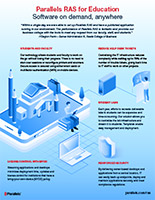
View the benefits of using Parallels RAS as an application delivery and VDI solution for the educational sector.
Multifactor authentication, smart card support, advanced filtering, and customizable policies give IT teams more control over access to student, administrative, and financial aid systems and resources. These capabilities can support an institution’s broader FERPA and GLBA Safeguards Rule efforts. Staff and students can reach their LMS, Windows applications, and other published resources from supported devices without tying access to a campus computer lab.
Streamline management of single or multi-campus IT infrastructures from one easy-to-use management console. Students can easily access the educational resources they need to continue their studies. Bringing applications and desktop delivery into one management console reduces the amount of infrastructure IT teams have to manage. A single, all-inclusive Parallels RAS license also makes VDI costs easier to forecast as institutions plan annual technology budgets.
Reduce the risk of downtime and interruptions while increasing resources with out-of-the-box load balancing technology. Virtual application and desktop delivery will be fast and user-friendly for staff and students—irrespective of where they’re connecting from.
Create virtual desktops on the fly with PowerShell API, VDI templates and streamlined testing. IT staff can create linked clones to complete updates, which makes managing a large user group faster.
Deliver test environments from any hypervisor or RDS, with the flexibility to return them to their original state after students have completed them. Moreover, students can receive on-demand access to virtual labs from their personal devices.
Centralized Windows environments can also reduce reliance on the operating system and processing power of endpoints. That gives institutions more room to extend the useful life of devices that do not meet Windows 11 requirements while they plan hardware refreshes on their own schedule.
Education IT infrastructures can be scaled up or down with auto-provisioning and auto-scaling capabilities. Parallels RAS can dynamically create, remove, release and load balance Windows Servers based on predefined criteria. Easily manage load spikes without any manual action from IT staff.
Single sign-on (SSO) facilitates faster login times by streamlining the management of user identities from different organizations without sharing the local identity database. By leveraging artificial intelligence (AI), Parallels RAS makes applications ready-to-use when needed, increasing efficiency. Staff and students do not have to wait for their desktops to load up in the mornings but can start working straight away.
Ready out of the box and easy to use, Parallels RAS Universal Printing increases printing performance and response time when staff and students use local printers with server-based desktops or virtual applications. Print directly to printers without having to install local printer drivers.
Talk to our experts to discuss solutions, schedule a demo, or request a quote.
Contact us