




Accessibility
Enable government workers to enjoy the flexibility of accessing work apps and desktops from anywhere, on any device.
PARALLELS RAS FOR INDUSTRIES
Enable government workers to enjoy the flexibility of accessing work apps and desktops from anywhere, on any device.
Provide secure, compliant, on-demand access to virtual workspaces and data, reducing the risk of cybersecurity threats
Switch between devices—including tablets and smartphones— in the office, constituencies, or home.
How a U.S. metropolitan planning agency replaced Citrix with Parallels Remote Application Server (RAS) to give staff secure, one-to-one access to their office desktops from anywhere.
Read MoreHow a large U.S. healthcare organization moved to Parallels Remote Application Server (RAS) to deliver Oracle Health Cerner while lowering licensing costs and simplifying operations.
Read MoreThis governmental institution in Northern Italy was looking for a solution to rapidly enable employees to work from home. With Parallels RAS, they were able to quickly provide access to virtual desktops and applications to over 2,000 employees using different devices such as Windows, Mac, tablets, and HTML5 browsers. The government’s IT team is pleased with the security of Parallels RAS, which has enabled the organization to implement multilevel authentication and additional encryption protocols.
Read MoreParallels RAS helped improve the IT infrastructure of the Chelles mayor’s office by enhancing security, reducing costs and providing employees with more flexibility and tools to boost productivity. Chelles took advantage of the Parallels RAS centralized console to publish and update applications across the entire private cloud network—without any hassles or headaches.
Read MoreParallels RAS won The Govies Government Security Award for “Application Security” by Security Today magazine. Parallels RAS helps organizations comply with security standards, providing a wide range of security-related capabilities including multifactor authentication (MFA), granular access filtering, client policies and encryption protocols.
Read More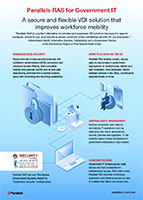
View the benefits of using Parallels RAS as an application delivery and VDI solution for governments.
Multifactor authentication, smart card authentication, granular filtering, monitoring, and reporting give IT teams more control over who can access published applications and desktops. These capabilities can support authentication and access-control practices used in environments subject to requirements such as CJIS for criminal justice organizations, HIPAA for healthcare organizations, and FERPA for educational institutions.
With Parallels RAS, load balancing provides government organizations with consistent, fast, and reliable access to published resources anytime. Parallels RAS load balancing helps maintain consistent access to published resources when demand shifts across available servers - critical for first responders and public services that operate outside standard business hours.
Let staff use their own devices through BYOD programs or choose from approved devices through CYOD policies. Parallels RAS delivers employees instant and secure access to applications and data on any device, including iPad, Mac, Android, and more.
Windows 10 support ended, but replacing every older endpoint at once may not fit a local government’s budget. Parallels RAS Kiosk Mode can repurpose compatible Windows PCs as locked-down, thin-client-like devices to access centrally managed applications and desktops. For devices that are still serviceable but cannot move to Windows 11, this can give IT teams more flexibility in deciding when and where hardware refresh dollars are spent.
Right out of the box, Parallels RAS is straightforward and easy to implement. IT teams don’t have to worry about complicated setups and installations, allowing them to spend less time on operational aspects and focus on more important projects. Parallels RAS uses one clear all-inclusive license for its core application delivery and VDI capabilities. For public-sector IT teams working through annual budget reviews, that provides a clearer cost model than assembling separate feature licenses and add-ons.
Instantly scale your server farms up or down to meet demand and effortlessly manage load spikes without any manual action from IT staff. Parallels RAS provides a reliable and easy-to-scale infrastructure that mixes and matches Microsoft Remote Desktop Services (RDS), Microsoft Hyper-V and VMware ESXi, as well as hyperconverged solutions such as Nutanix Acropolis and HP.
Parallels RAS utilizes unique Applification™ technology, allowing employees to use the native touch gestures of their mobile devices—such as swipe, drag and tap to click or zoom—to improve their productivity while on the go. Enable the use of Touch ID and passcodes to further secure access to your applications, desktops and data.
Single sign-on (SSO) facilitates faster login times by streamlining the management of user identities from different organizations without sharing the local identity database. By leveraging artificial intelligence (AI), Parallels RAS makes applications ready to use when needed, increasing efficiency.