






PARALLELS RAS USE CASE
Secure remote work with Parallels RAS
Parallels RAS gives organizations the tools to provide secure access to work apps and desktops on any device, anywhere—so employees can work remotely and data stays safe.
Work Productively from Anywhere
Choose the Parallels RAS solution that works best for your organization.
How you can use Parallels RAS
No matter what device is used, including tablets and smartphones, Parallels RAS provides simplified secure access to the digital workspaces required. Deploying Parallels RAS reduces the risk of data loss and malicious activity by using policies that limit access based on user, group permissions, locations and devices. In addition, Parallels RAS supports FIPS 140-2 encryption and multifactor authentication (MFA).
Employees can enjoy a local workspace-like experience using smartphones. Parallels RAS enables native touch gestures—such as swipe, drag, tap to click and, zoom-in—with any Windows application, making it easy to complete workloads. Moreover, With Samsung DeX, your mobile device can be transformed into a fully-fledged workstation.
Read MoreParallels RAS allows employees with Chromebooks to access Windows line-of-business (LOB) applications, desktops, and data seamlessly over any network—allowing them to work on the go - while at the same time improving security and reducing endpoint management and maintenance costs.
Read MoreWhether your employees continue to work from home or return to the office gradually, Parallels RAS provides flexible and secure access to work files and applications. Employees can switch between different devices and pick up from where they left off. An employee could start working from home on a tablet, continue working on public transport to the office, and then carry on, on their work laptop or desktop. It’s possible to work on the go without losing any progress.
Desktops and applications can also be published from a remote PC. Parallels RAS can convert any Windows workstation, physical or virtual, on your infrastructure to a Remote PC without any additional hardware or licensing requirements. Organizations can switch from a typical office infrastructure style to either a completely remote work environment, or a hybrid – both from the office and remotely.
Not everyone working from home has access to a work laptop or tower, but instead, they have to use personal devices such as tablets and phones. For those working from home on their smartphones and tablets, Parallels RAS supports external mouse and keyboard integration, allowing employees to work as productively as if they were using a regular desktop computer.
Read MoreSecure your corporate data with a VDI solution
IT security is crucial, especially for federally regulated industries like finance and healthcare. And data breaches can be expensive—both in terms of budget and reputation.
Parallels RAS is a user-friendly VDI solution that works with major hypervisors and Microsoft Remote Desktop Services (RDS) to provide mobile users with a simple, straightforward experience. It also provides robust protection for enterprise security concerns—all at a reduced cost!
The Parallels RAS application and desktop delivery solution includes expansive security features like encrypted connections, real-time monitoring and alerts, and highly granular permission settings to protect corporate data from malicious activity.
Encrypted connections
When the end user's device accesses data on the central server, the connection must be encrypted. Parallels RAS integrates with SSL and FIPS 140-2 encryption protocols in addition to MFA and demilitarized zone (DMZ) deployment for highly secured connections.
Full integration with encryption technology means a secure channel between servers and clients operating over the cloud or an on-premises network.
Real-time monitoring and reporting
IT administrators need to be able to monitor the IT infrastructure to protect sensitive information. Parallels RAS provides in-depth user session visibility so IT administrators can identify the actions users perform on the network.
Additionally, the Parallels RAS environment can be set up to use automatic baselines with notifications and alerts sent when abnormal activity takes place.
Advanced permissions filtering
IT administrators using Parallels RAS can restrict access to sensitive data based on user or group, MAC address, IP address and gateway. With more granular permission settings, network users only have access to data relative to their needs and level of trust within the organization.
Parallels RAS provides IT administrators with the ability to control end-user activity on the network, a highly valuable feature for corporate security.
Secure remote working tips for businesses
Traditional office environments have made way for work-from-home and remote environments.
How can you help your teams follow best practices for remote working security?
Create a cybersecurity policy for remote workers
The first step in safeguarding corporate data is to inform all employees that it is a primary concern. The policy should outline all of the different security protocols that employees are expected to follow and how the company will support them.
Multi-factor authentication
When passwords aren't enough, an extra layer in the security process can give remote workers and their employers the peace of mind they need. Businesses can implement multi-factor authentication, which requires extra verification steps.
Firewalls, antivirus software, and anti-malware
Remote workers need to have up-to-date firewalls, antivirus software, and anti-malware on all of their devices, including phones, tablets, and computers. If a device is lost or stolen, companies may wish to wipe it remotely. Mobile device management platforms may perform these functions.
Cloud flexibility and security
As organizations consider multi-cloud or hybrid models for workloads, they should look to establish a safe remote working environment that fits any level of cloud adoption. When you equip your security team with cloud-capable tools, they can be more productive and fix cybersecurity challenges more quickly.
Process automation
In a remote setting, employee onboarding and offboarding can be automated so that when an employee leaves, their access to systems is canceled and their equipment is returned. Critical response times are reduced in the event of a security incident.
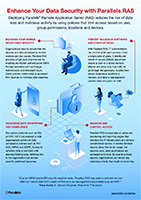
Infographic
Enhance your data security with Parallels RAS
Reduce work-from-home security risks
Employees need to follow specific guidelines to reduce the risk of cyberattacks. Secure remote work policies should be in place to reduce the number of system vulnerabilities. Employees should:
Keep operating systems and software up to date
Both operating systems and software can be exploited. Any software, including web browsers, can be a common target. There can be crucial delays between disclosing a vulnerability and its mitigation.
Always enable auto-locking
When employees walk away from their device at home, a coworking space, or a coffee shop, they should lock it. It’s possible to forget, but it’s a big data security risk when that happens. Automatic locking exists to protect our unattended devices.
Create strong PINs and passwords
To lessen the chance of cybersecurity attacks, employees should always use a strong password. Avoid anything easy to figure out, such as repeating numbers and sequences or common passwords.
Enable Find My Device and Remote Wipe
When a device is lost or stolen, locating and, ideally, remotely controlling it is critical to ensuring information security. No matter how much time or determination an attacker has, securely deleting a device makes it much more difficult for them to access your data.
Overcome Cybersecurity
challenges for remote workers
A VDI solution like Parallels RAS helps reinforce and enhance your company’s cybersecurity efforts whether employees work remotely or on-site.
Parallels RAS incorporates built-in security capabilities with additional layers of protection that include the following:
When enabled, users need to authenticate using two authentication factors. The first is via native authentication (Active Directory/LDAP), and the second is any of the following: Azure MFA (RADIUS), Duo (RADIUS), TekRADIUS, Deepnet, SafeNet, or Google Authenticator.
This helps in implementing the principle of least privilege. Granular filtering rules can be created to restrict access to published resources based on user, internet protocol (IP) address, media access control (MAC) address, and gateway.
This enables the provision of single sign-on (SSO) capabilities to end users (they authenticate only once and then have access to your services) securely.
When a device is configured to use kiosk mode, users cannot change system settings or install new applications.
This enables you to push specific settings to user devices to enforce security policies.
This type of authentication requires something you have (your smart card) and something you know (your user personal identification number, or PIN), which you enter into a smart-card reader.
Parallels RAS connections may be secured with SSL/TLS with Federal Information Processing Standards (FIPS) 140-2 compliant encryption to provide data-in-motion encryption.
When enabled, this feature prevents users from copy-pasting on the clipboard, minimizing the risk of data leakage through these actions.
The security capabilities in Parallels RAS work together to reduce the pressure on IT workload and cybersecurity resources by enabling teams to create and implement robust client policies from a single location.
It is a comprehensive answer to today's numerous cybersecurity challenges, helping organizations to continue to enable remote workforces with confidence.
We’re here to help!
Talk to our experts to discuss solutions, schedule a demo, or request a quote.
Contact us